 Vanoor
Guide
Strava and Apple Watch problems, solved: sync, heart rate, pace, battery and running without your phone
On this page
- 1. "My run isn't showing up on Strava"
- 2. "No heart rate on my Strava activity"
- 3. "Current pace on Strava's Watch app is all over the place"
- 4. "Strava kills my Apple Watch battery"
- 5. "Can I use Strava on Apple Watch without my phone?"
- 6. "Strava and Apple Health are double-counting my runs"
- The one-table summary
- Strava on Apple Watch: quick answers
- Sources
Search "Strava Apple Watch" and the autocomplete finishes the sentence for you: not syncing, heart rate not working, battery, without phone. Most of these come down to two causes: Strava's rule about which Apple Health workouts it accepts, and Health permissions that were never granted. A few more are just how the Strava Watch app behaves. Here they are, symptom by symptom.
1. "My run isn't showing up on Strava"
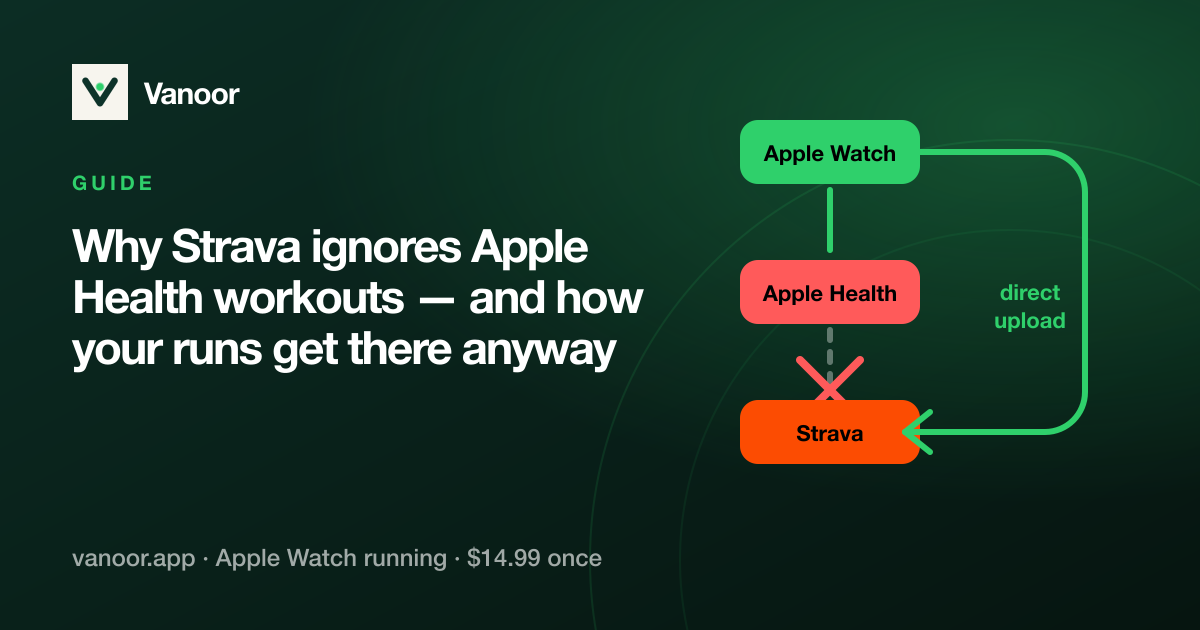
If you recorded with a third-party Watch app (anything that isn't Apple's Workout app or Strava's own): Strava will never import it from Apple Health. That is Strava's policy, not a bug: it only pulls workouts written by Apple's Workout app, so the run sits in Apple Health and Strava skips it. The full explanation and the fix are in why Strava ignores Apple Health workouts; the short version is that the app that recorded the run has to upload it to Strava directly, which Vanoor does automatically after every run.
If you recorded with Apple's Workout app and it's missing: open Strava on the iPhone → Settings → Applications, Services and Devices → Health → make sure Workouts (and Workout Routes) are on; then in the iPhone Health app → Sharing → Apps → Strava, check the same. Only workouts from the last 30 days sync, and they arrive when you open Strava on the phone, not instantly.
If you recorded with Strava's Watch app: the activity is on the Watch until it reaches the phone. Open Strava on the iPhone with the Watch nearby; if it says "make sure your phone is nearby", the Watch app is waiting for that Bluetooth handoff.
2. "No heart rate on my Strava activity"
- Strava Watch app: heart rate needs the Health permission: iPhone Health app → Sharing → Apps → Strava → Heart Rate on; and Watch → Settings → Privacy → Health → Heart Rate on. If the strap or wrist sensor lost contact, the gap shows as flat line, not missing data.
- Apple Workout app → Strava via Health: heart rate comes across, but routes from third-party sources don't; the "Workout Routes" permission has to be on for the map.
- Chest strap paired to the Watch: works with every app, including Strava's. Pair it in Watch Settings → Bluetooth, and see the chest strap guide. Vanoor uploads the full heart-rate series, strap or wrist, with the run.
3. "Current pace on Strava's Watch app is all over the place"
Every watch smooths pace, and the trade-off is lag versus jitter. Strava's Watch app leans on GPS speed. A recent Watch has a better source, Apple's sensor-fused running speed, which some apps read and some don't. The current pace guide explains why the number jumps and what a steady live pace takes. If you want a pace band with haptic in/out cues rather than a number, that's a workout, not a display setting.
4. "Strava kills my Apple Watch battery"
Live segments, the always-on Bluetooth link to the phone and a busy screen add up. The principles in the battery guide apply to any app: nothing fetched over the air mid-run, a static metrics screen, a map only when you look at it. If a marathon ends with the Watch under 20%, blame the app before the Watch.
5. "Can I use Strava on Apple Watch without my phone?"
For recording, yes. Strava's Watch app records with the Watch's GPS and heart rate and syncs when the phone is back in range. Following a route on the wrist with no phone and no signal is a different feature. For that you need an app that stores the route and its map on the Watch; see running navigation without your phone and offline maps. Vanoor records, navigates and then uploads to Strava when the phone is back in range, with the route, heart rate, splits and cadence.
Whatever app records the run, a phone-free outing needs the route and the map on the Watch before you leave: running without your phone and how offline maps work on the Watch.
6. "Strava and Apple Health are double-counting my runs"
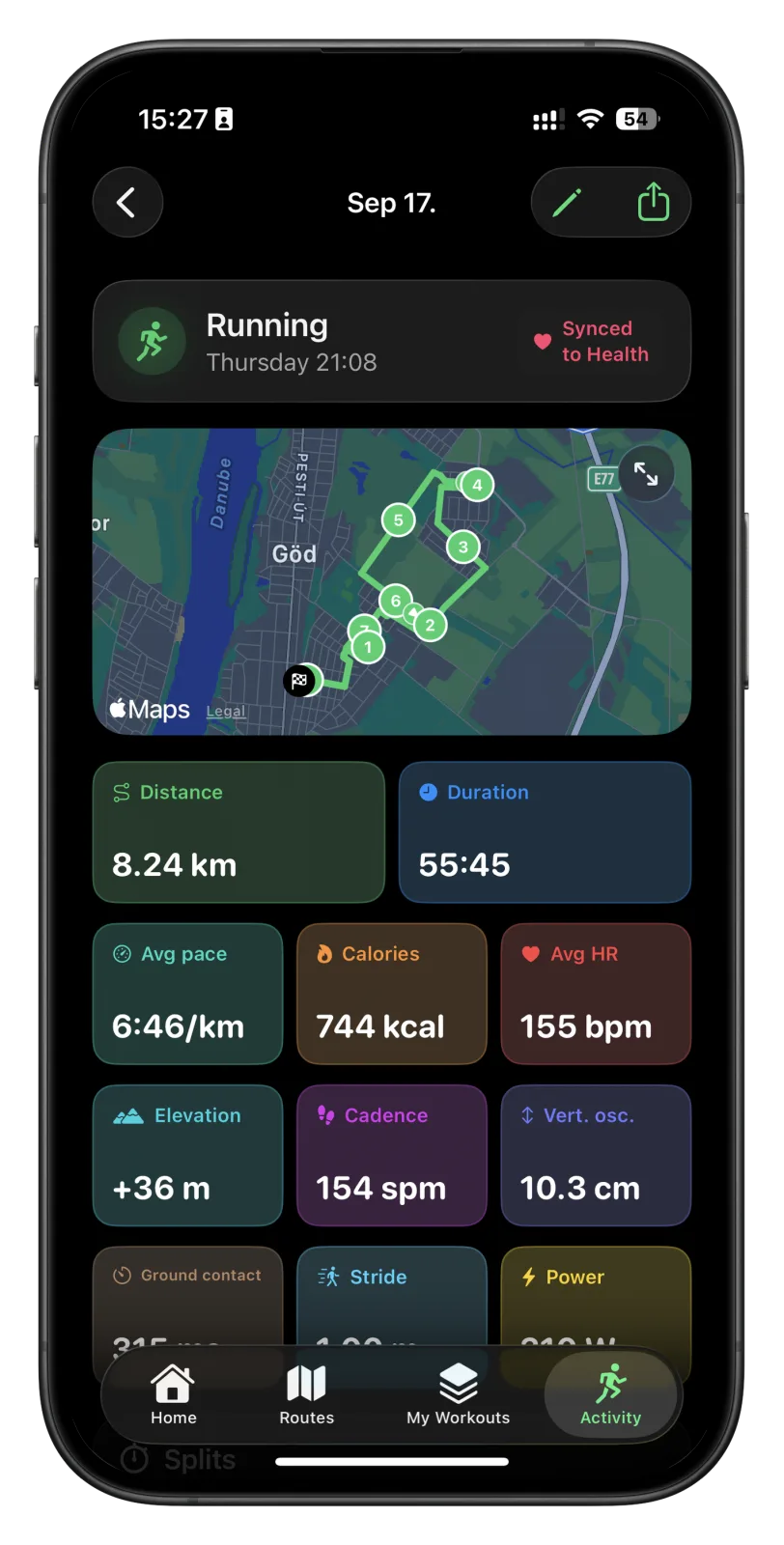
This happens when Strava writes activities to Apple Health and also reads Apple Workout runs from it, or when two apps both upload the same run. Pick one direction: if Vanoor (or any app) uploads to Strava directly, turn off Strava's "write workouts to Health" for runs, and let the recording app be the one that writes to Health. Then each run shows up once in each place.
The one-table summary
| Symptom | Usual cause | Fix |
|---|---|---|
| Third-party run not on Strava | Strava ignores non-Apple Health workouts | App must upload directly (Vanoor does) |
| Apple Workout run not on Strava | Health permission off / older than 30 days | Strava → Health → Workouts + Routes on |
| No heart rate | Heart Rate permission off, or sensor contact lost | Health sharing for Strava; strap for intervals |
| Pace jumps | GPS-only speed, short smoothing | App using fused running speed; pace bands |
| Battery drain | Live segments, phone link, busy screen | Offline app, metrics screen, map on demand |
| "Phone nearby" message | Watch app waiting to hand off | Open Strava on iPhone with Watch in range |
| Duplicate runs | Two apps writing the same run | One recorder, one uploader |
Strava on Apple Watch: quick answers
Why won't Strava sync with Apple Health?
Because Strava only imports workouts recorded by Apple's own Workout app. Everything else in Apple Health is skipped by design.
Does Vanoor sync to Strava?
Yes. It uploads directly, not through Apple Health, with route, heart rate, cadence and splits, right after you save the run.
Can Strava's Apple Watch app follow a route?
It is mainly a recorder. For route following with offline maps and no phone, use an app built for it; see the navigation-app comparison.
Last checked 18 September 2026.
Sources
- Strava. Apple Health and Strava — states that only activities recorded with the native Apple Workout app sync, and that workouts written to Health by other apps do not. support.strava.com
- Apple. Change settings in Workout on Apple Watch (watchOS User Guide). support.apple.com
Read 23 September 2026.
Related guides
Picked by shared topics.

Keep the Watch. Upgrade the run.
Vanoor: offline route navigation, race pacing and structured workouts on the Apple Watch you already own.
Get Vanoor on the App Store 7-day free trial · $14.99 once, no subscription · no account