Live cues, without staring
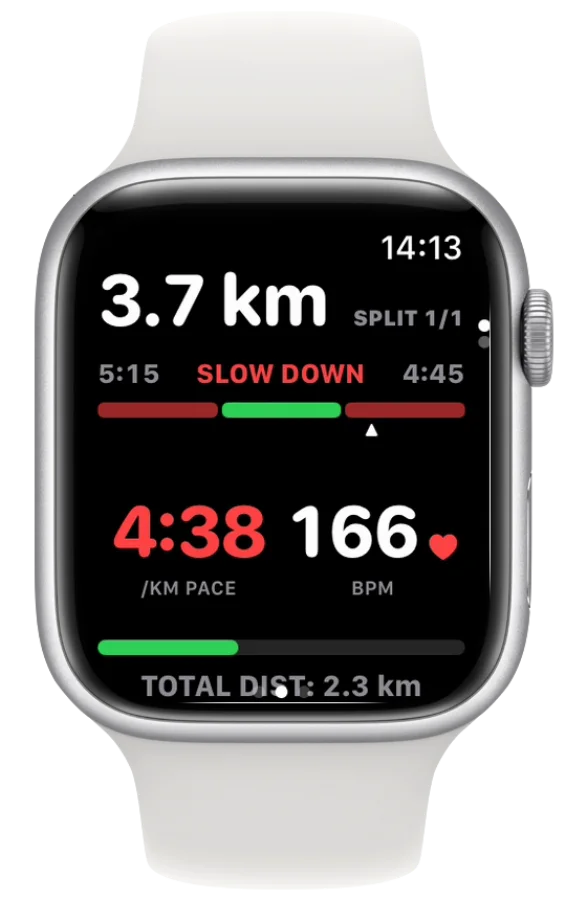
Turn on pace, heart-rate and distance alerts in Settings → Alerts. A tap on the wrist, or a short spoken line, tells you when to adjust.

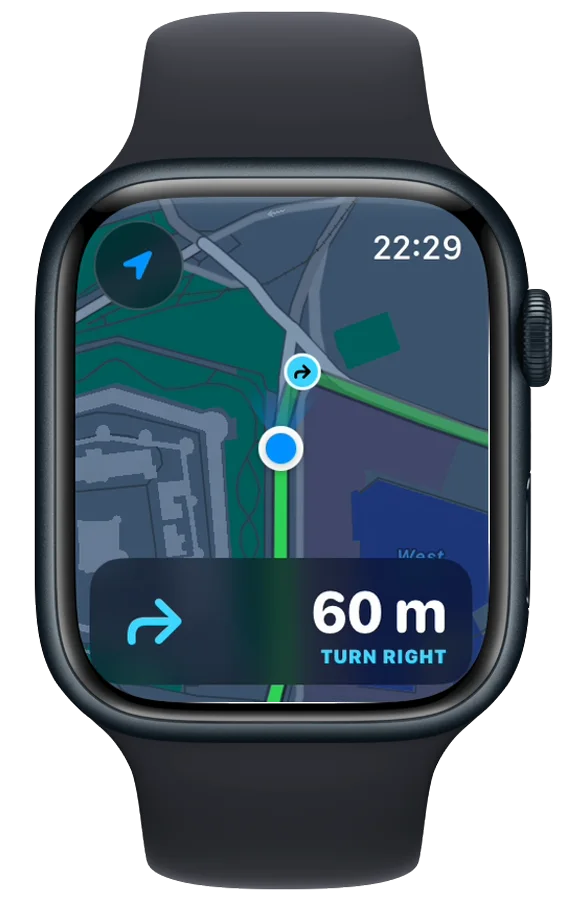
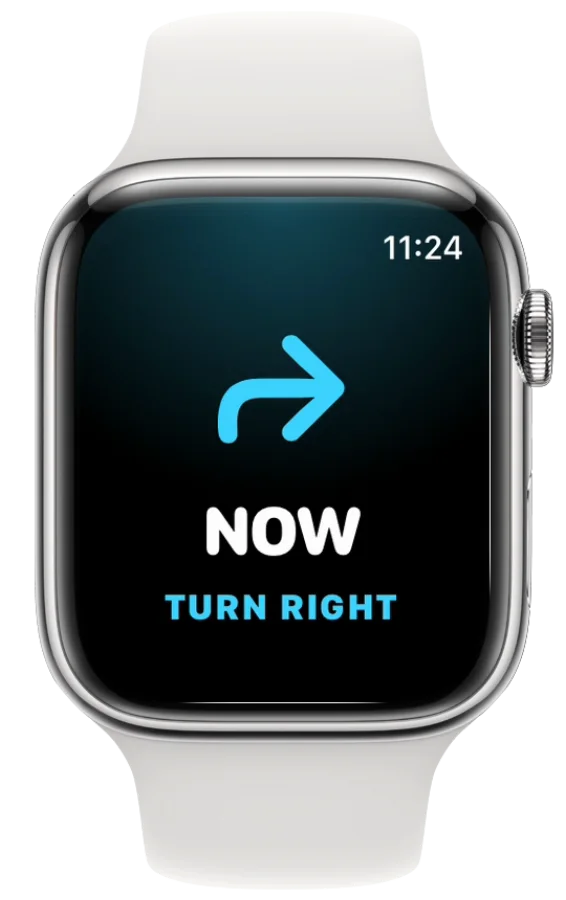
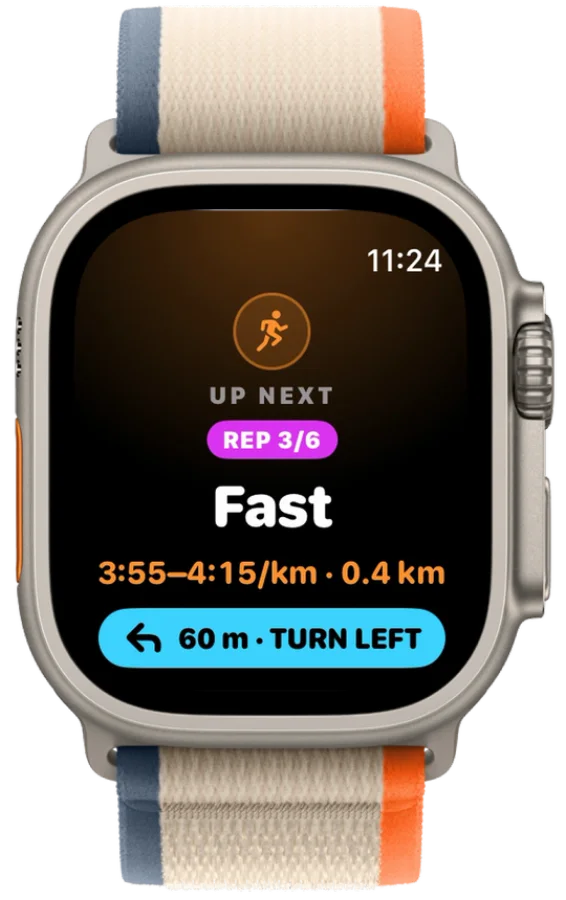
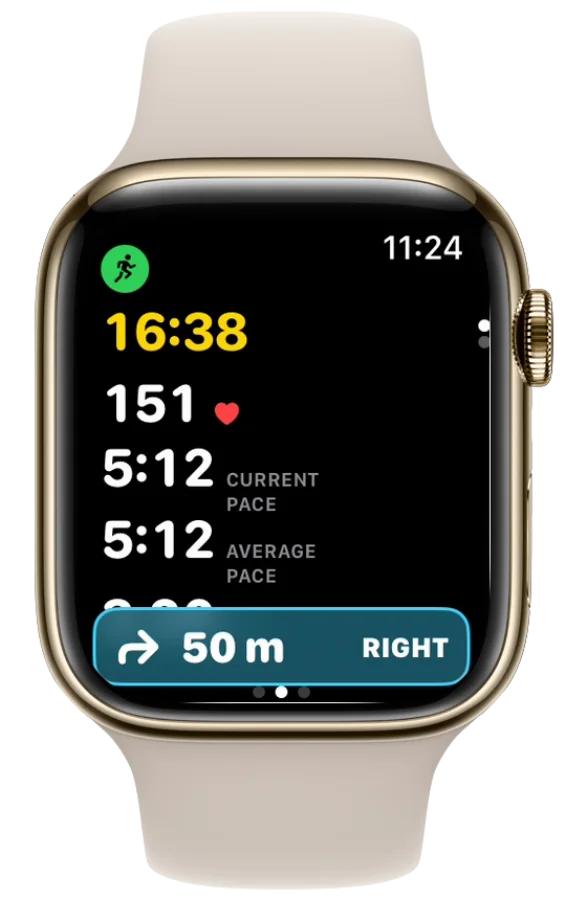
In 60 metres, turn right.
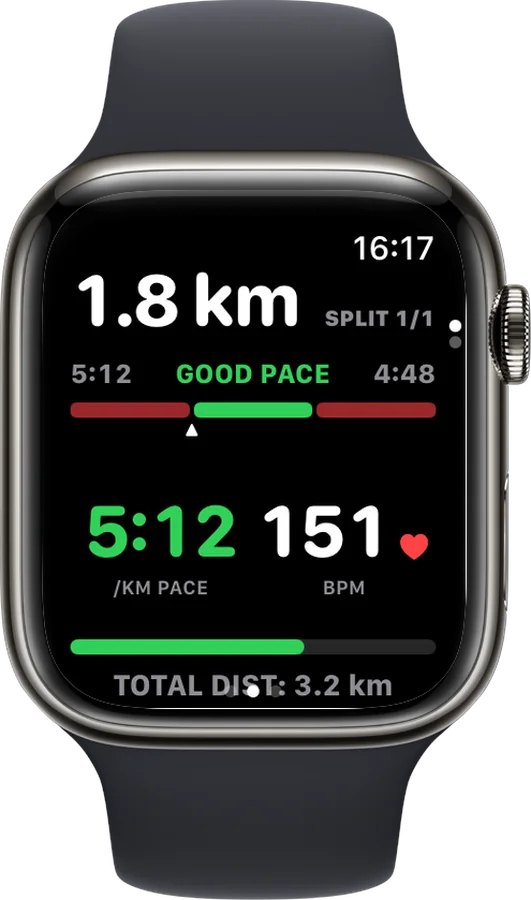
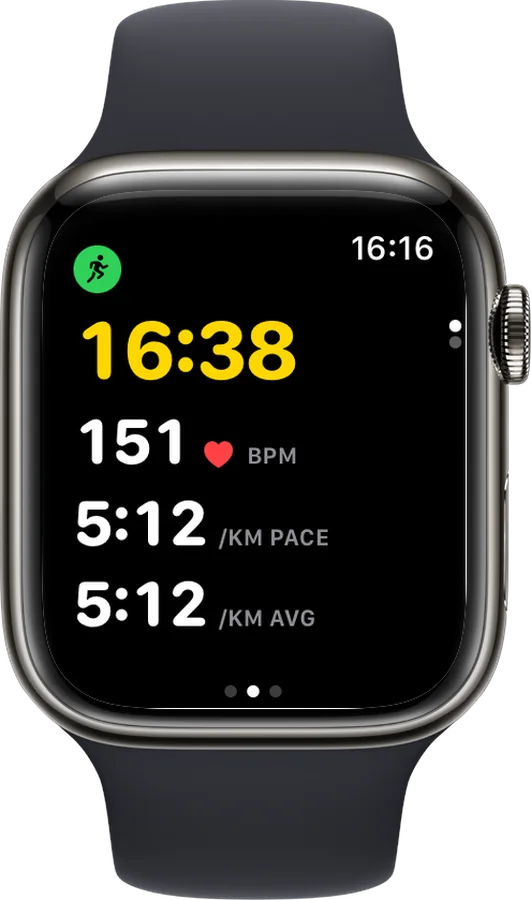
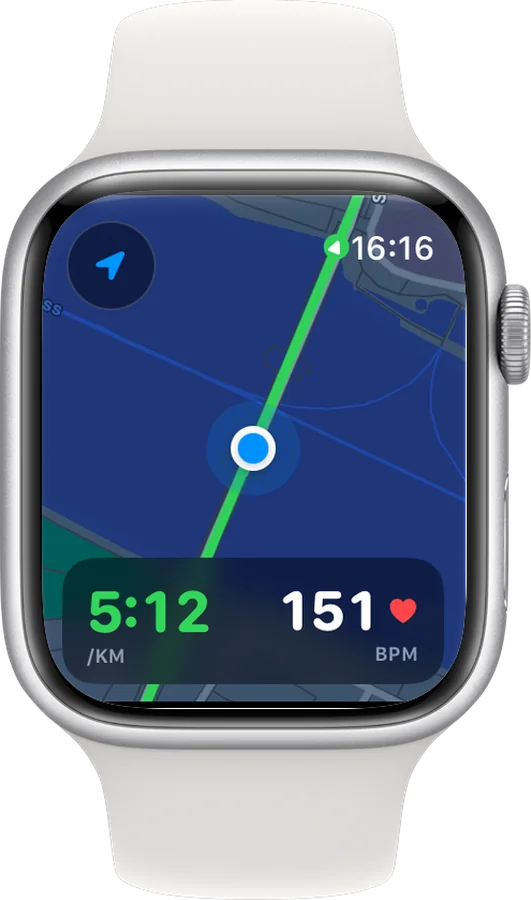
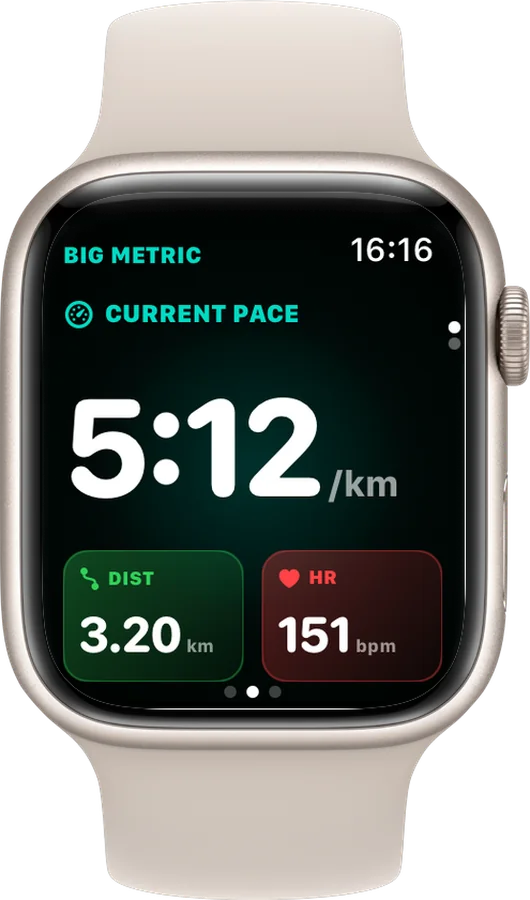
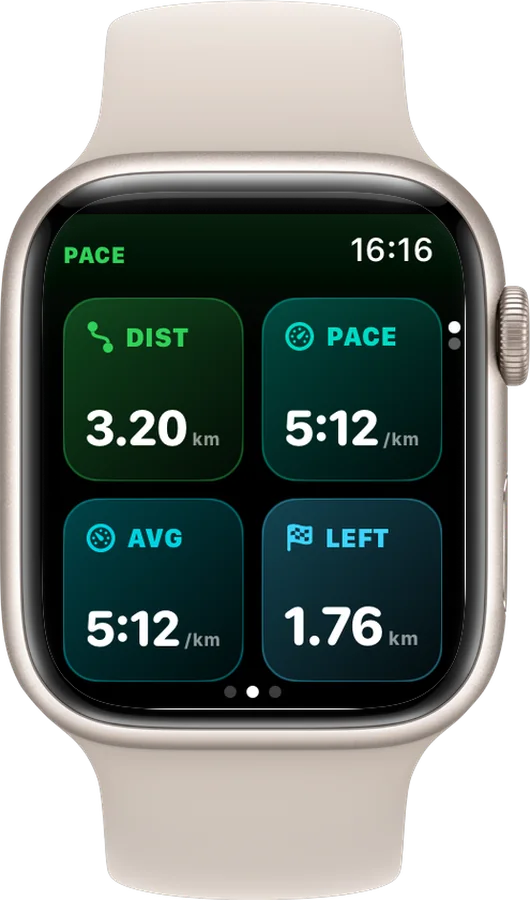
Kilometre 5. Average pace 5:12.
1 kilometre at 4:20.
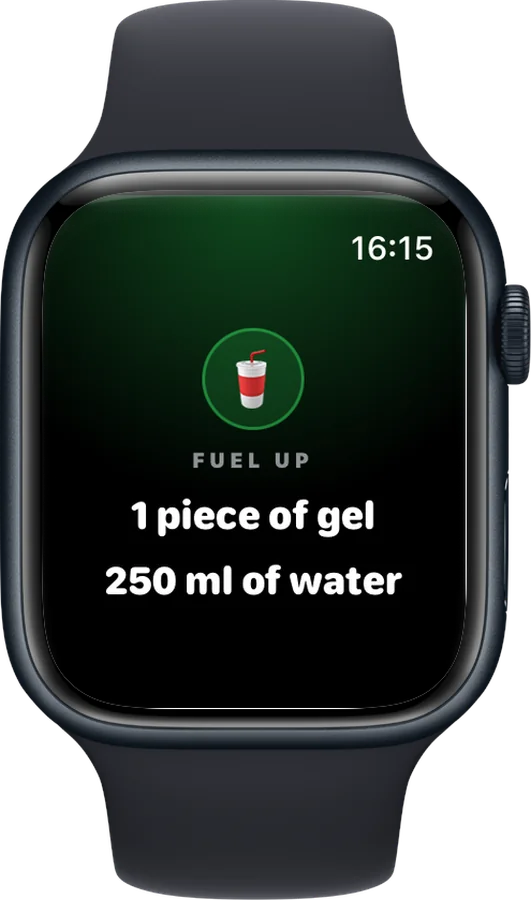
Take 1 piece of gel.
Apple Watch-first running
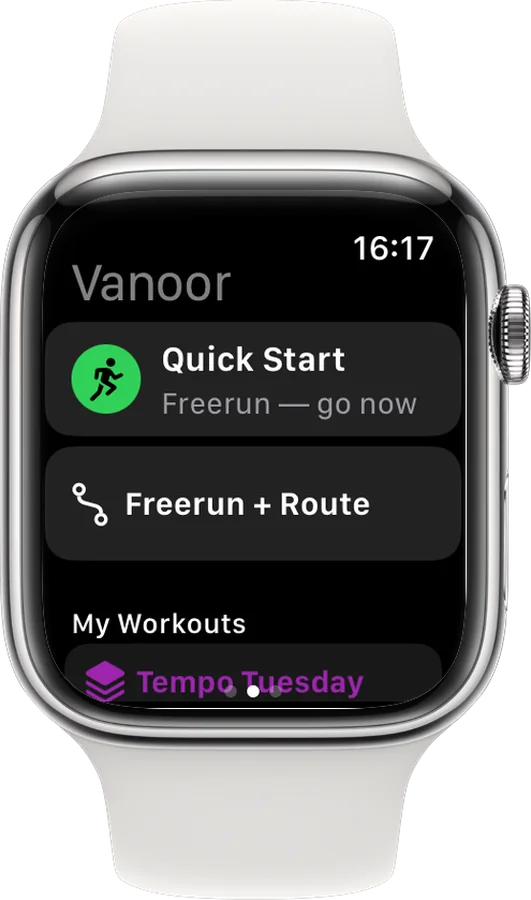
Offline route navigation, structured workouts, live pacing and runner-grade metrics, with the simplicity that made you choose Apple Watch in the first place.
On Android?

Apple Watch is beautiful, powerful and always with you. Vanoor gives it the route tools, workout control and live guidance serious runners expect, without the menus, subscriptions or social noise.
Turn-by-turn on the Watch
When you save a route, your iPhone finds every real turn on it. During the run your Watch counts down to each one and taps your wrist before you reach it. No signal needed, no phone in your pocket.
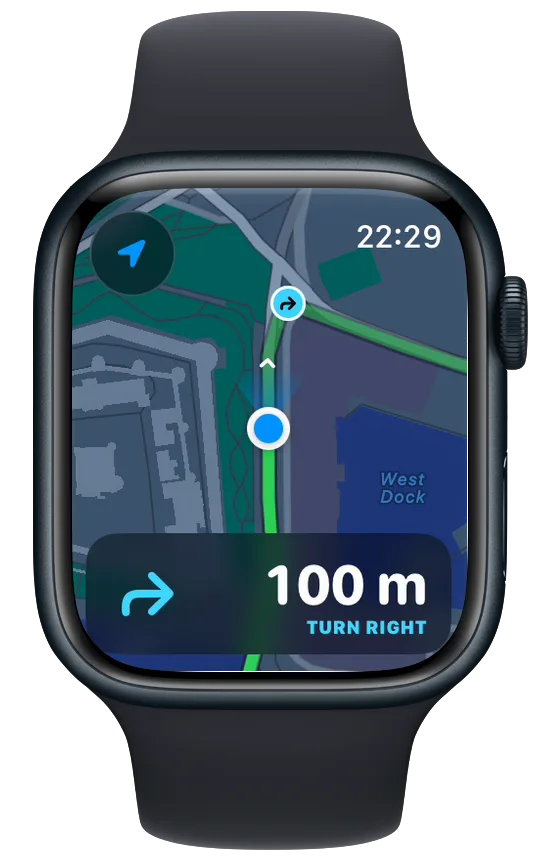
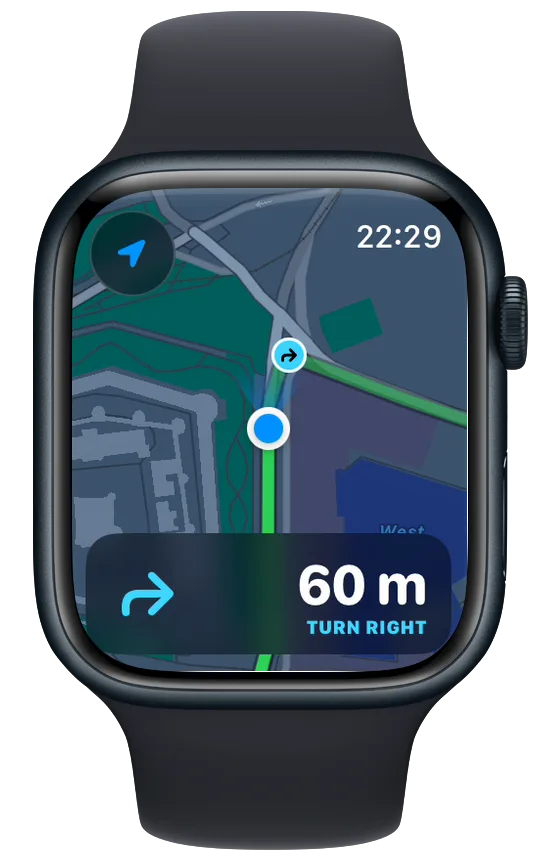
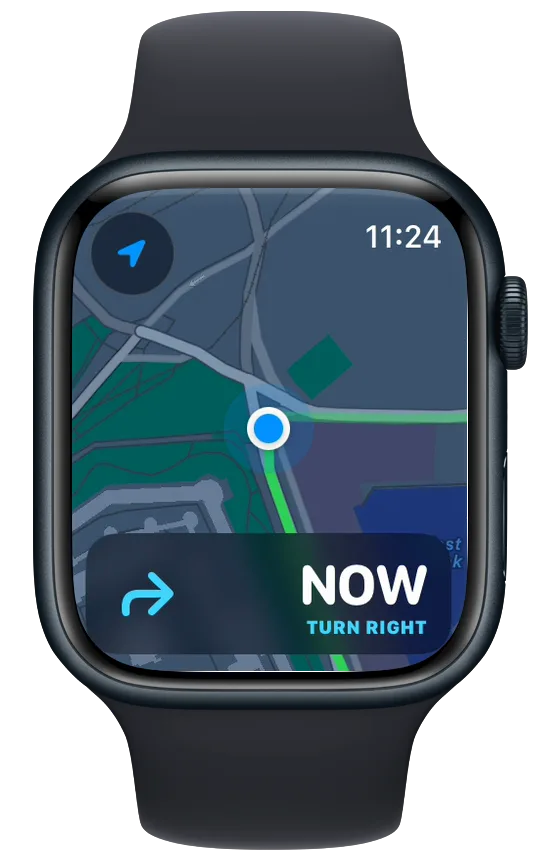
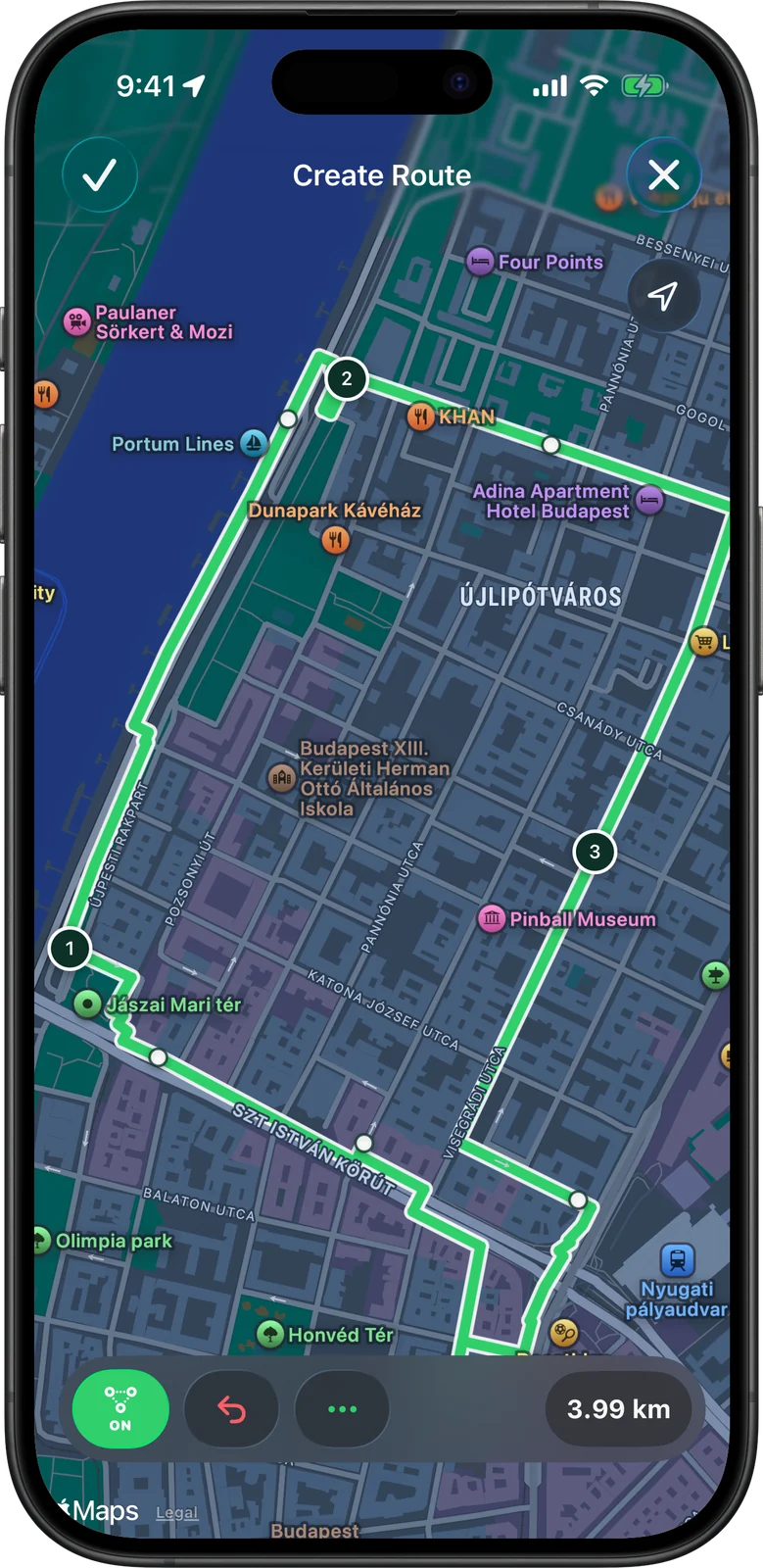
Tap the corners of a loop on the map and Vanoor snaps every leg to the streets and paths between them, counting the kilometres as you go. Save it, and it is on your Watch before you have laced up, with offline map tiles too if you set Map on Watch to Offline.

ChatGPT, Claude or Gemini writes the training block. Vanoor turns its reply into workouts on your iPhone and Apple Watch.
Write me a 12-week plan for a 1:45 half marathon. I run four days a week, about 35 km.
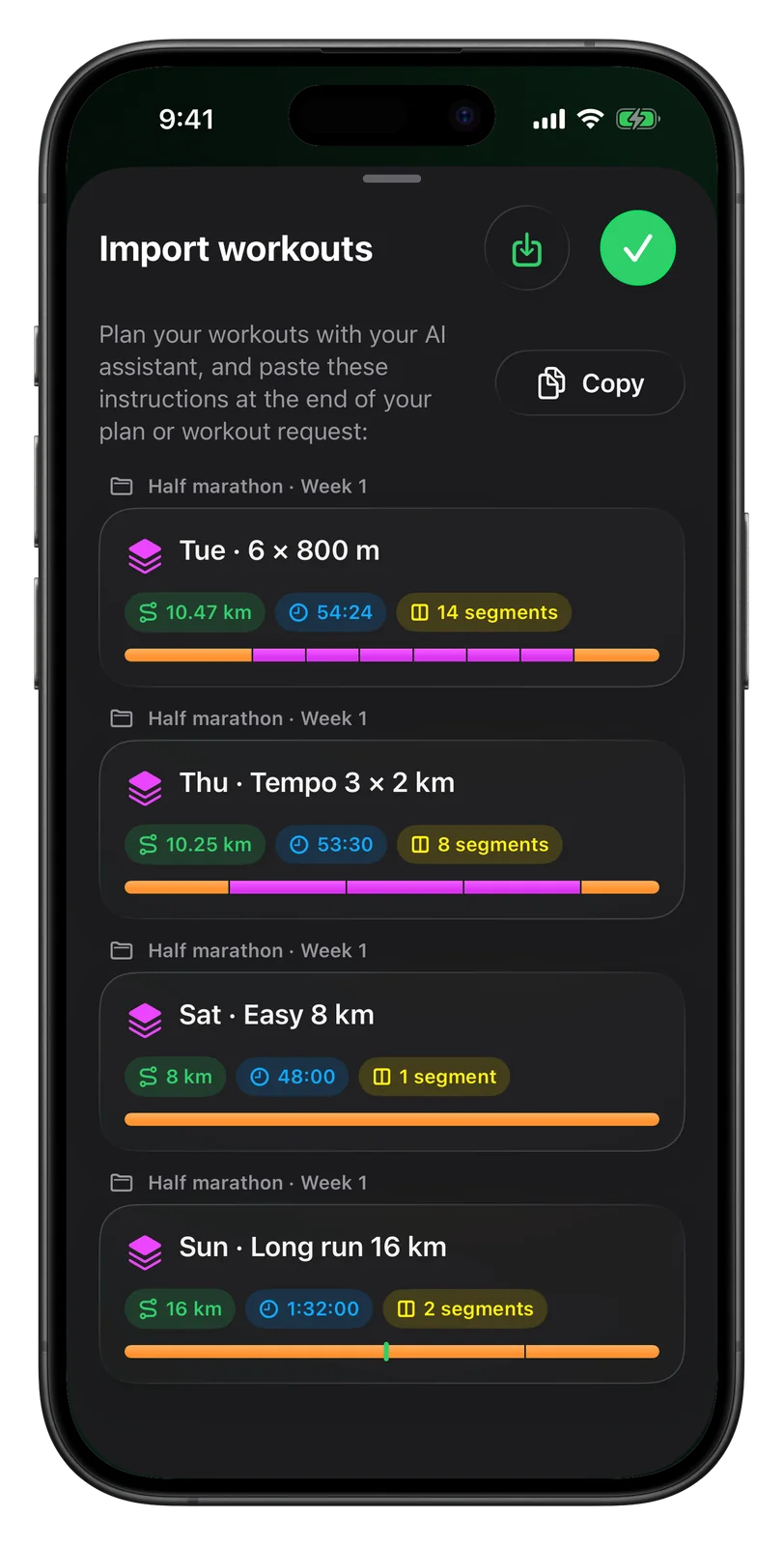
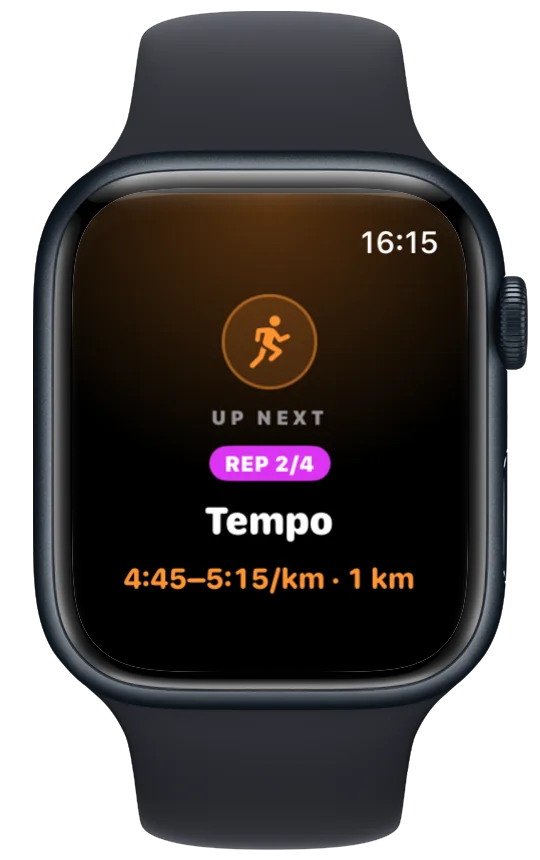
Build down to the smallest detail: distance or time, pace or heart-rate targets, nested repeat blocks, recoveries and personalised nutrition cues. Save once and your Watch remembers the entire plan for you.
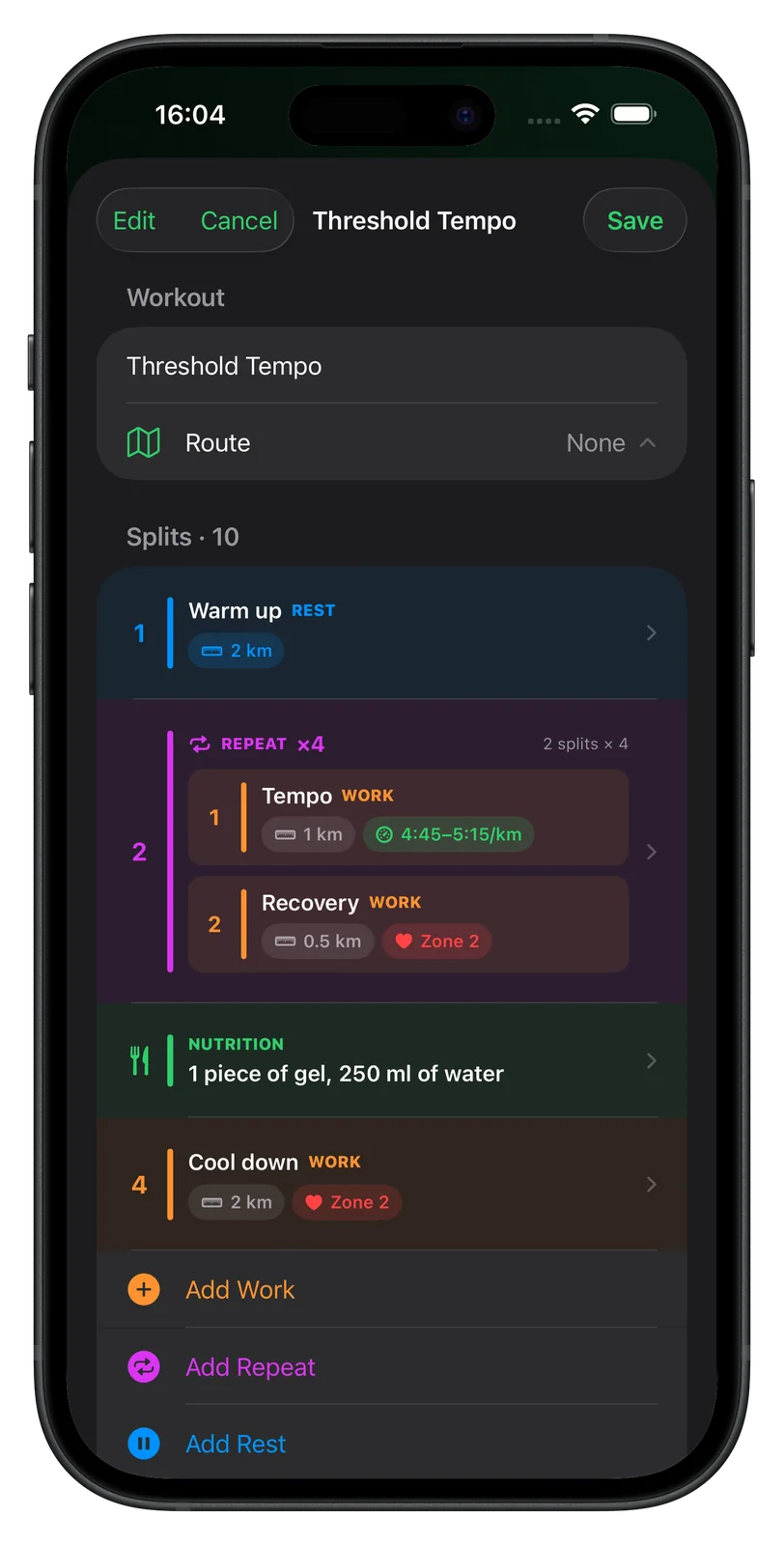
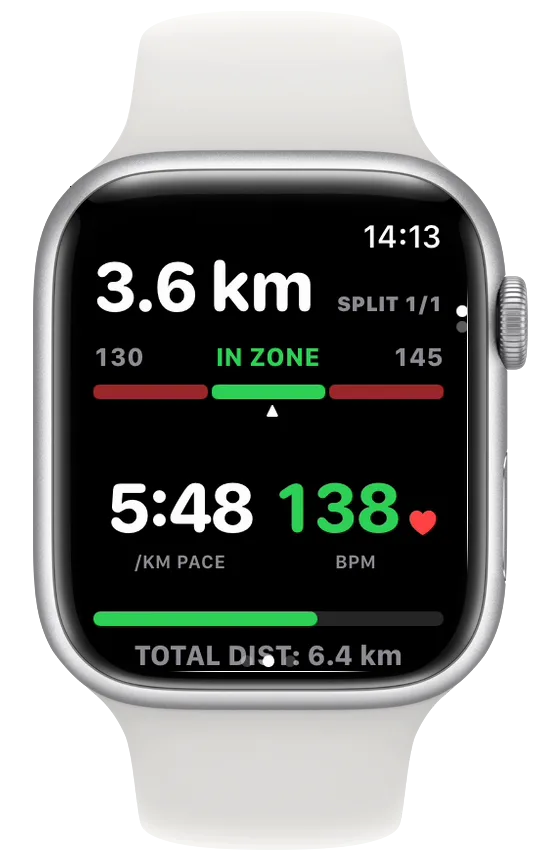
Save once. The complete workout appears on your Watch.
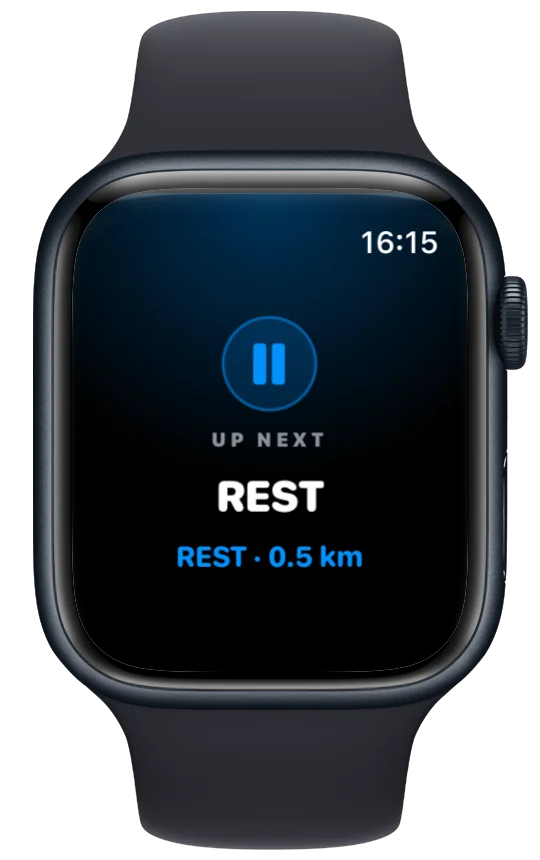
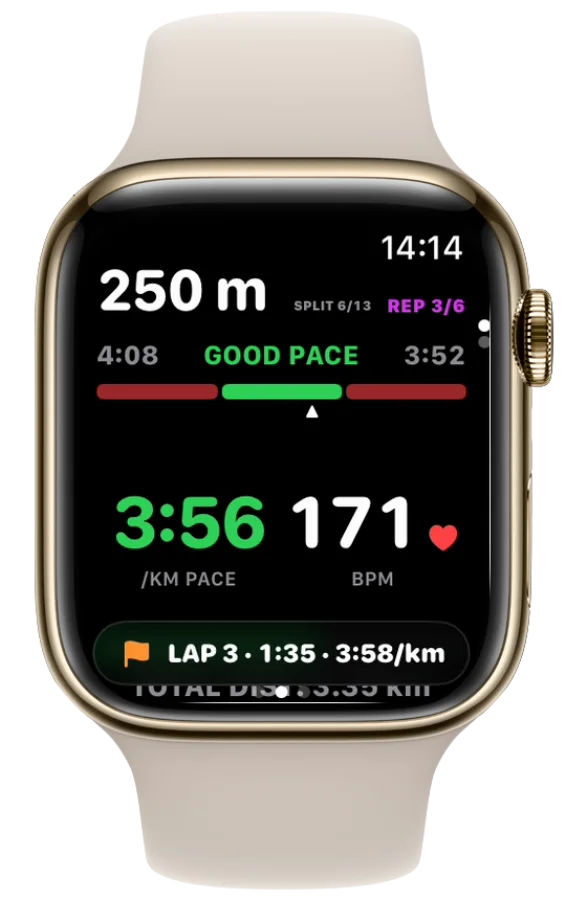
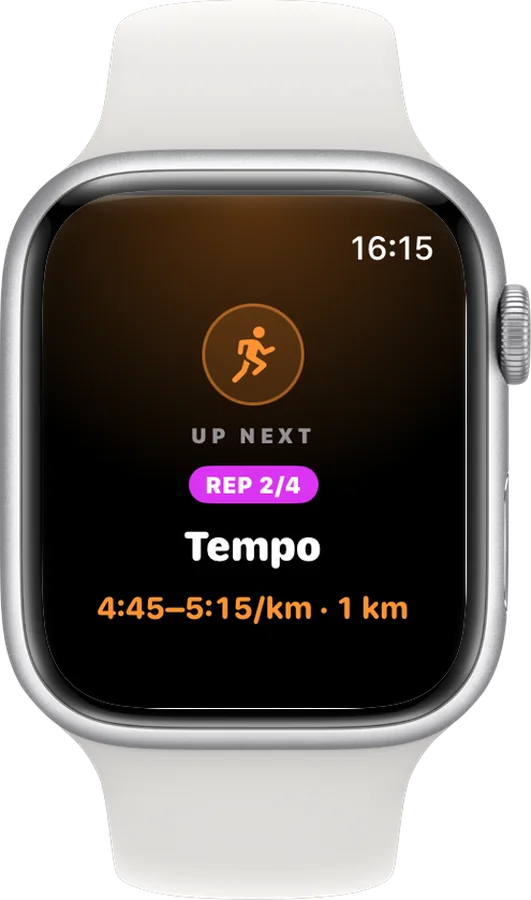
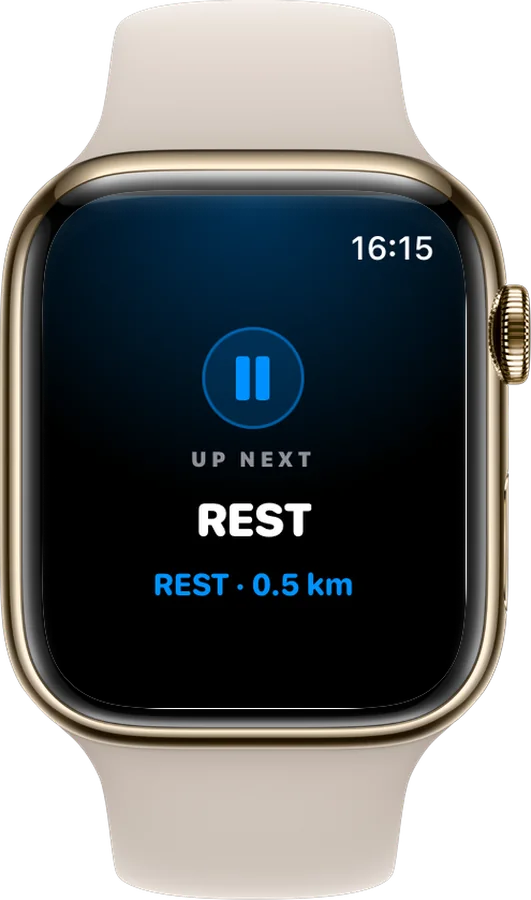
Every split change is announced before it starts.
A tap, or a word in your ear
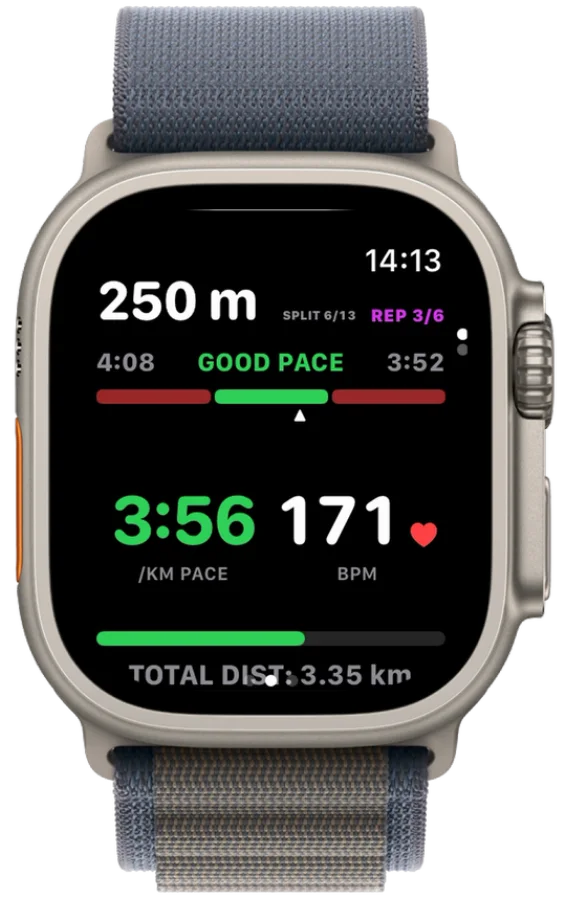
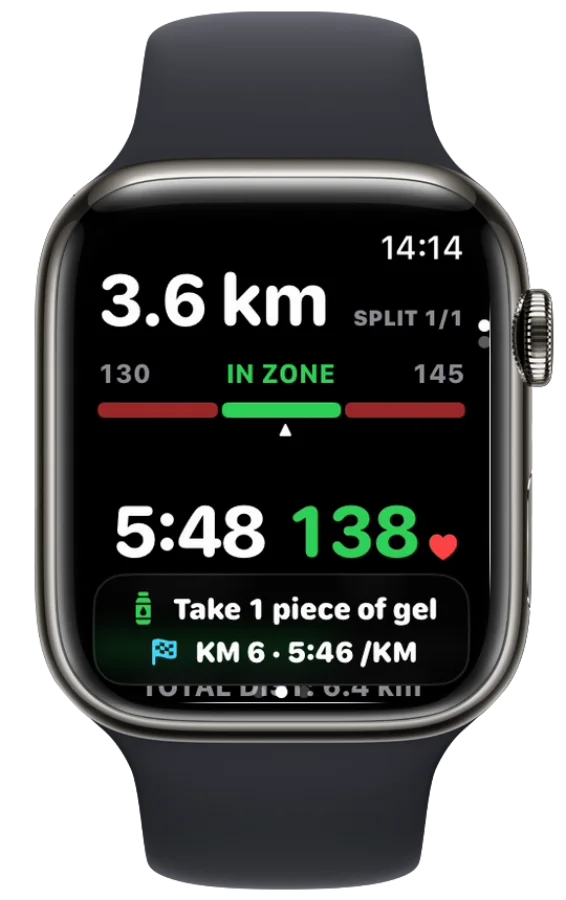
Kilometres, intervals, laps, fuel and turns arrive as a tap on the wrist and a thin banner, so the numbers you run by stay on screen. Want to hear them too? Turn on the spoken cues once, in Settings → Alerts, and they come through your AirPods.
Kilometre 5. Average pace 5:12.
Rep 2 of 4. 1 kilometre at 5:00.
Lap 3. Pace 3:58.
Take 1 piece of gel.
Turn right.
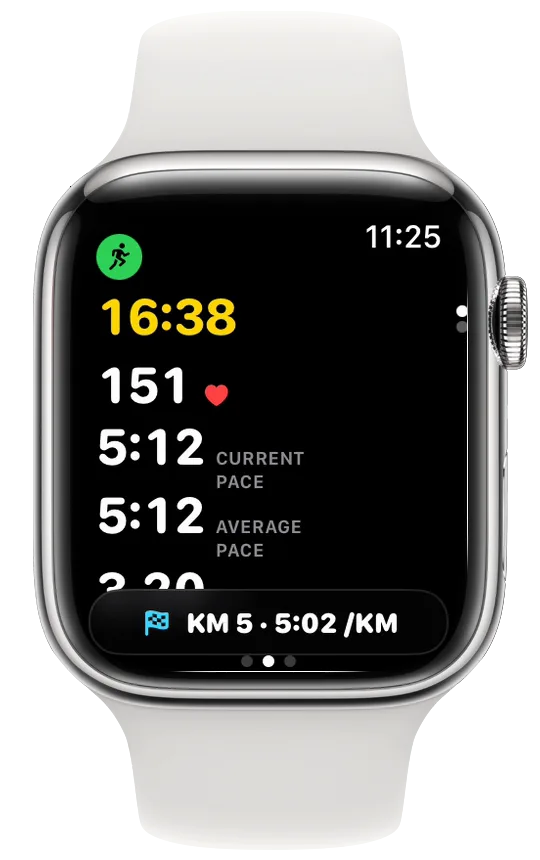
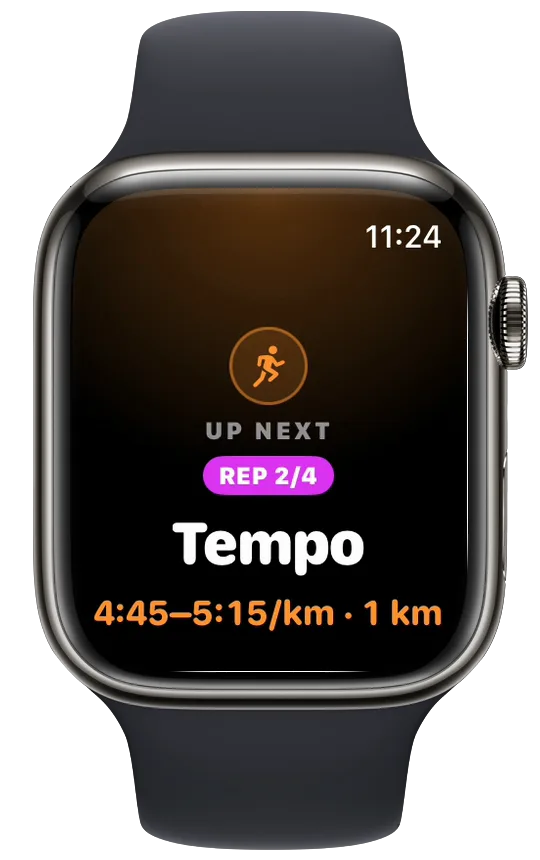
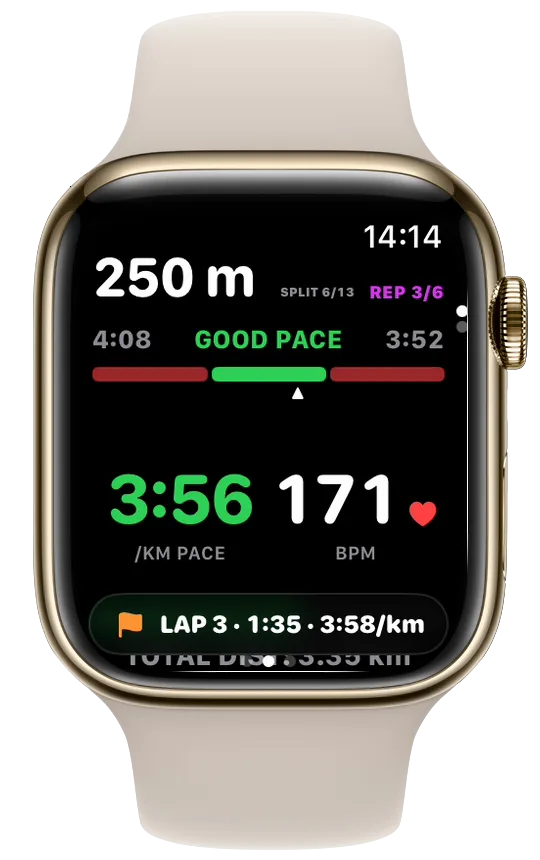
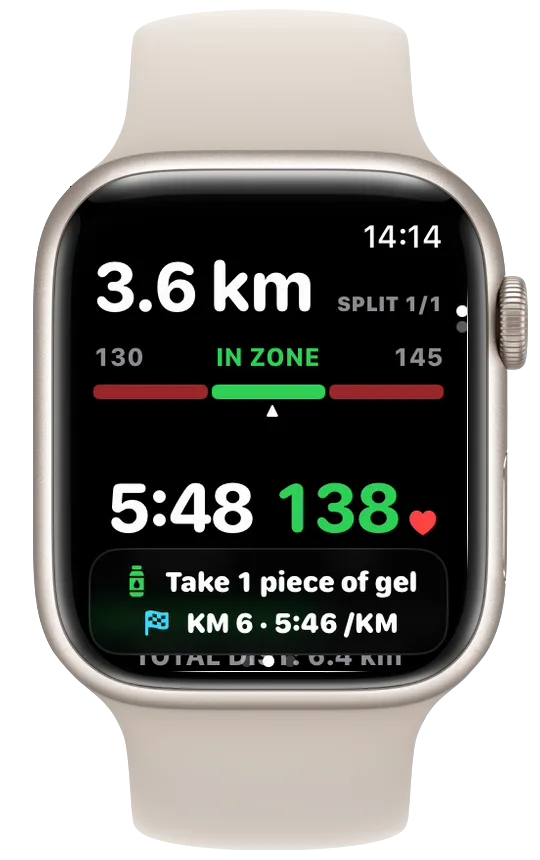
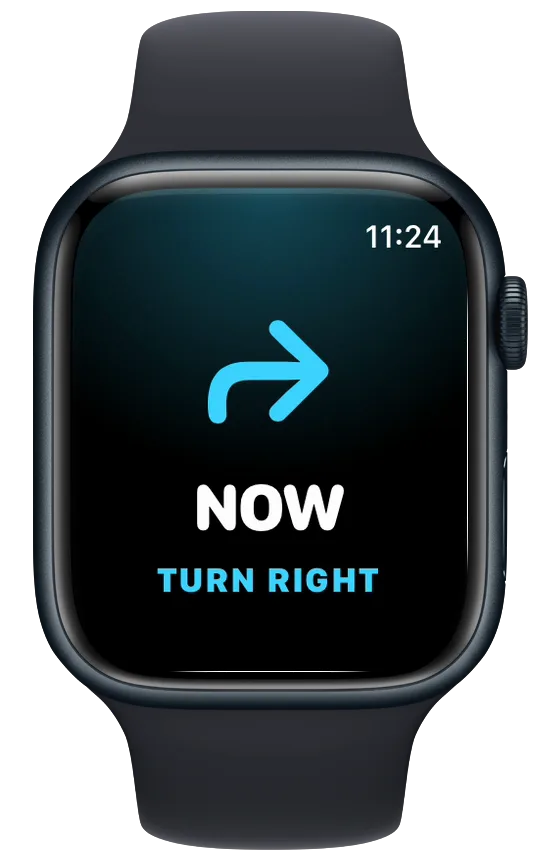
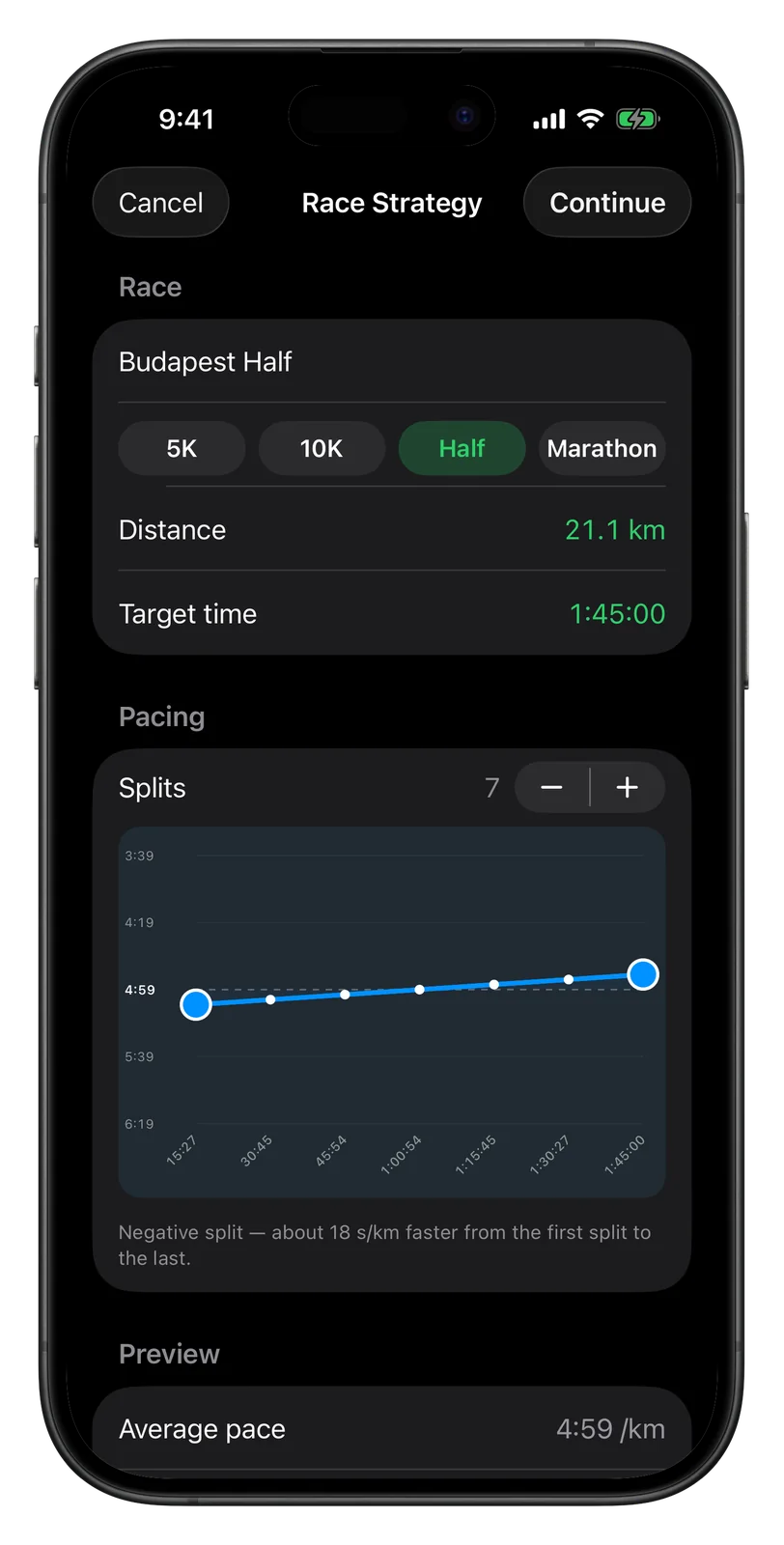
Race pacing, shaped by hand.
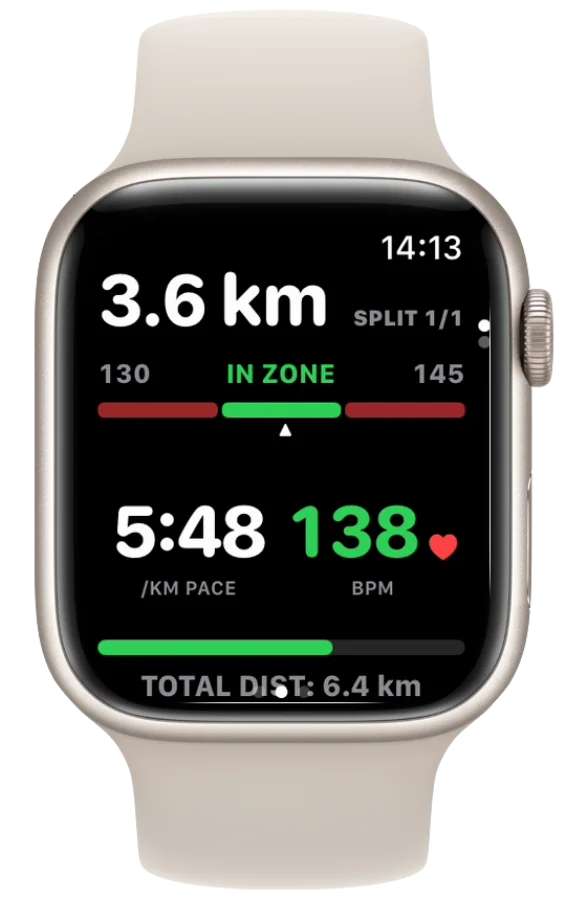
Choose 5K, 10K, half or marathon, type the finish time you want, and drag the pace curve into an even, negative or positive split. Vanoor turns the shape into a target band for every split, and your Watch holds you to it kilometre by kilometre.
Want your family to follow the race live? Try Cheerlify, our race-day tracking app.

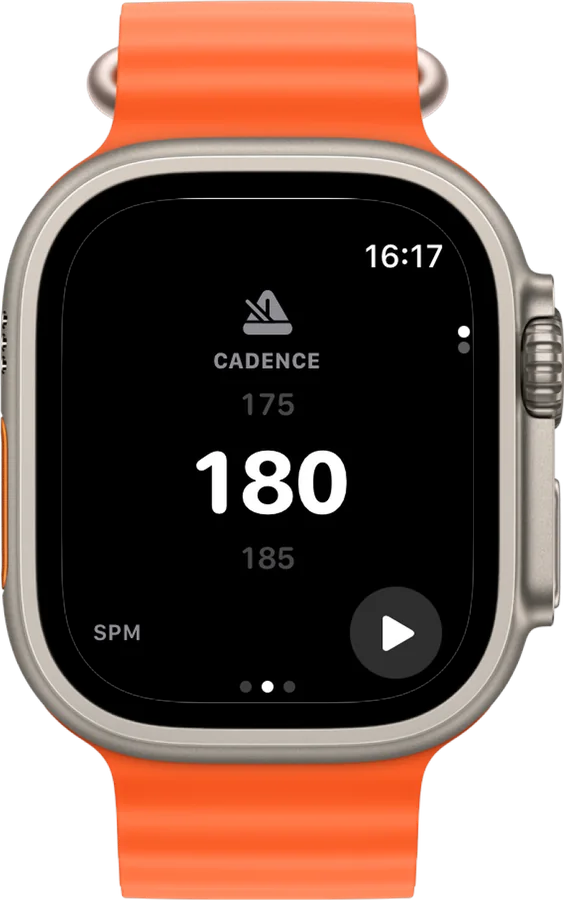
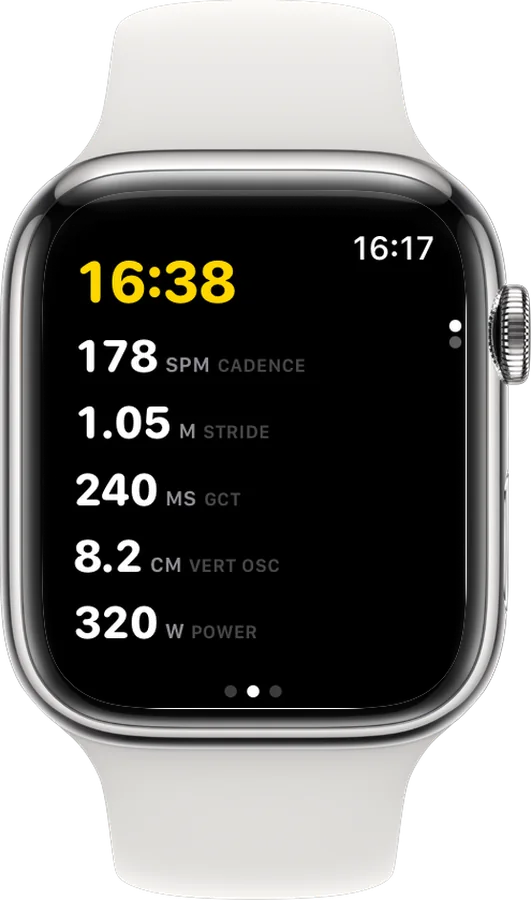
See cadence, power, stride length, vertical oscillation and ground contact time whenever your Watch provides them.
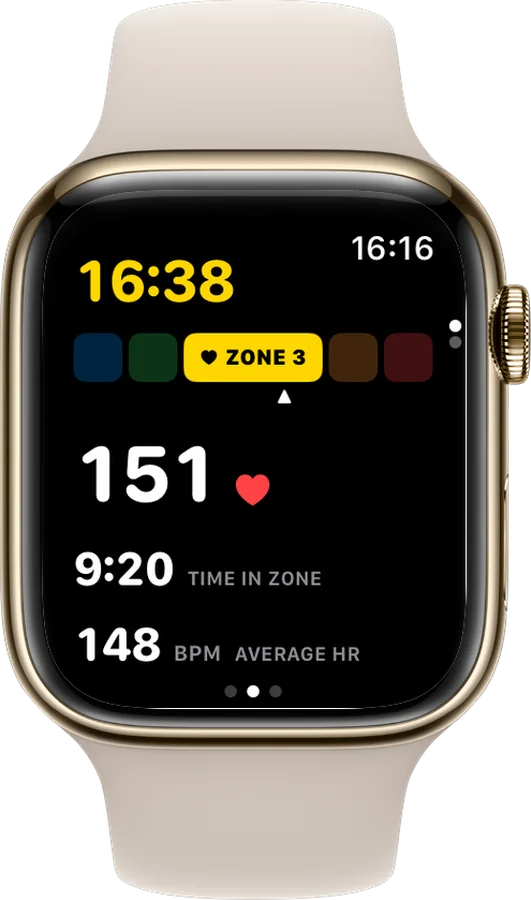
Turn on pace, heart-rate and distance alerts in Settings → Alerts. A tap on the wrist, or a short spoken line, tells you when to adjust.
Stops after a real standstill, resumes when you are moving again, and never overrides a manual pause.
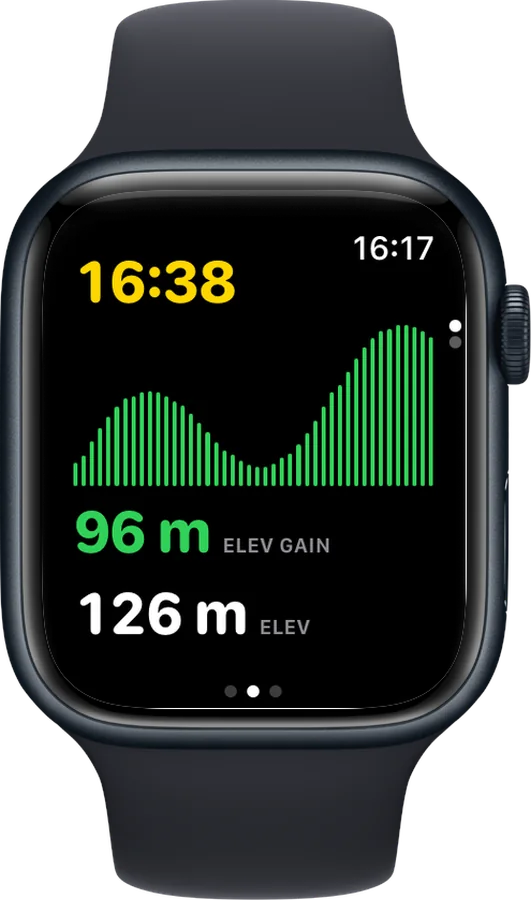
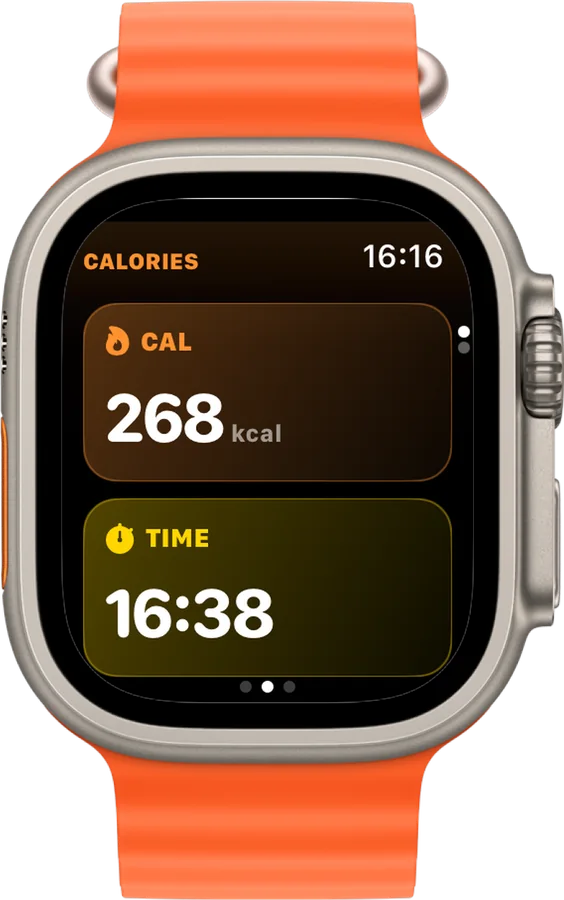
Choose the data pages and arrange up to four runner-first metrics per screen. The map and pacer fit in naturally.
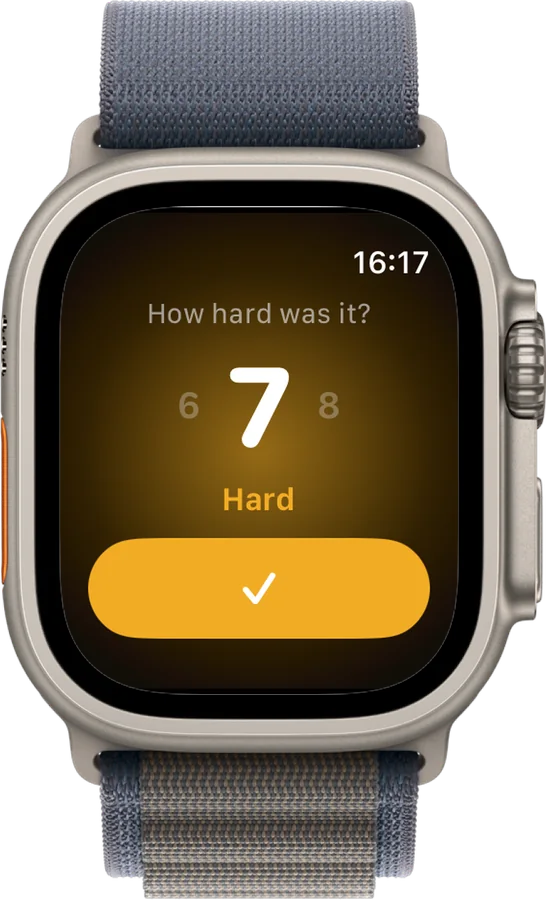
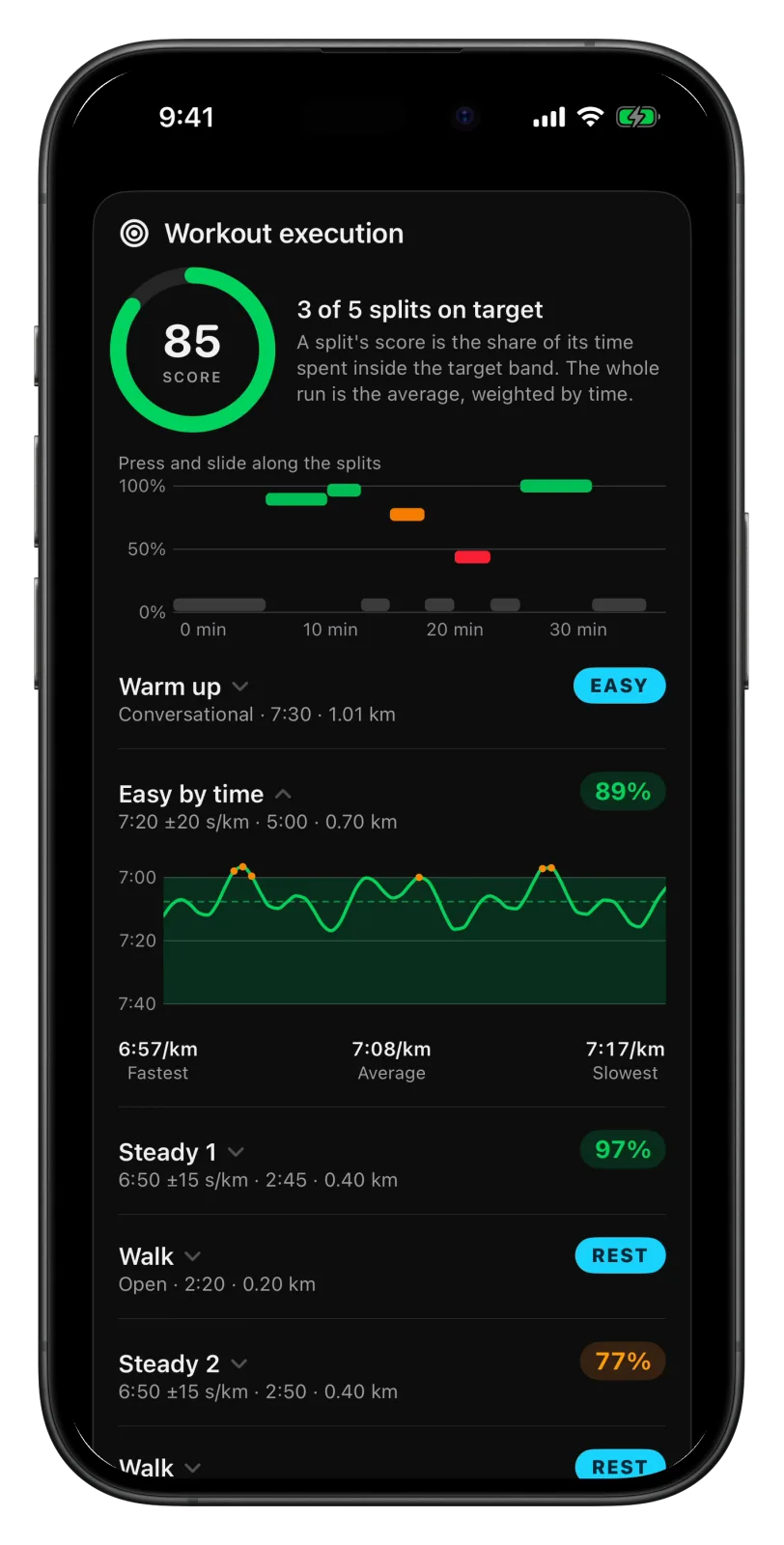
After a planned run, Vanoor checks every split against its target. A split's score is the share of its time you spent inside the pace or heart rate band. You get one for each split, one for the whole run, and a weekly average on the home screen.
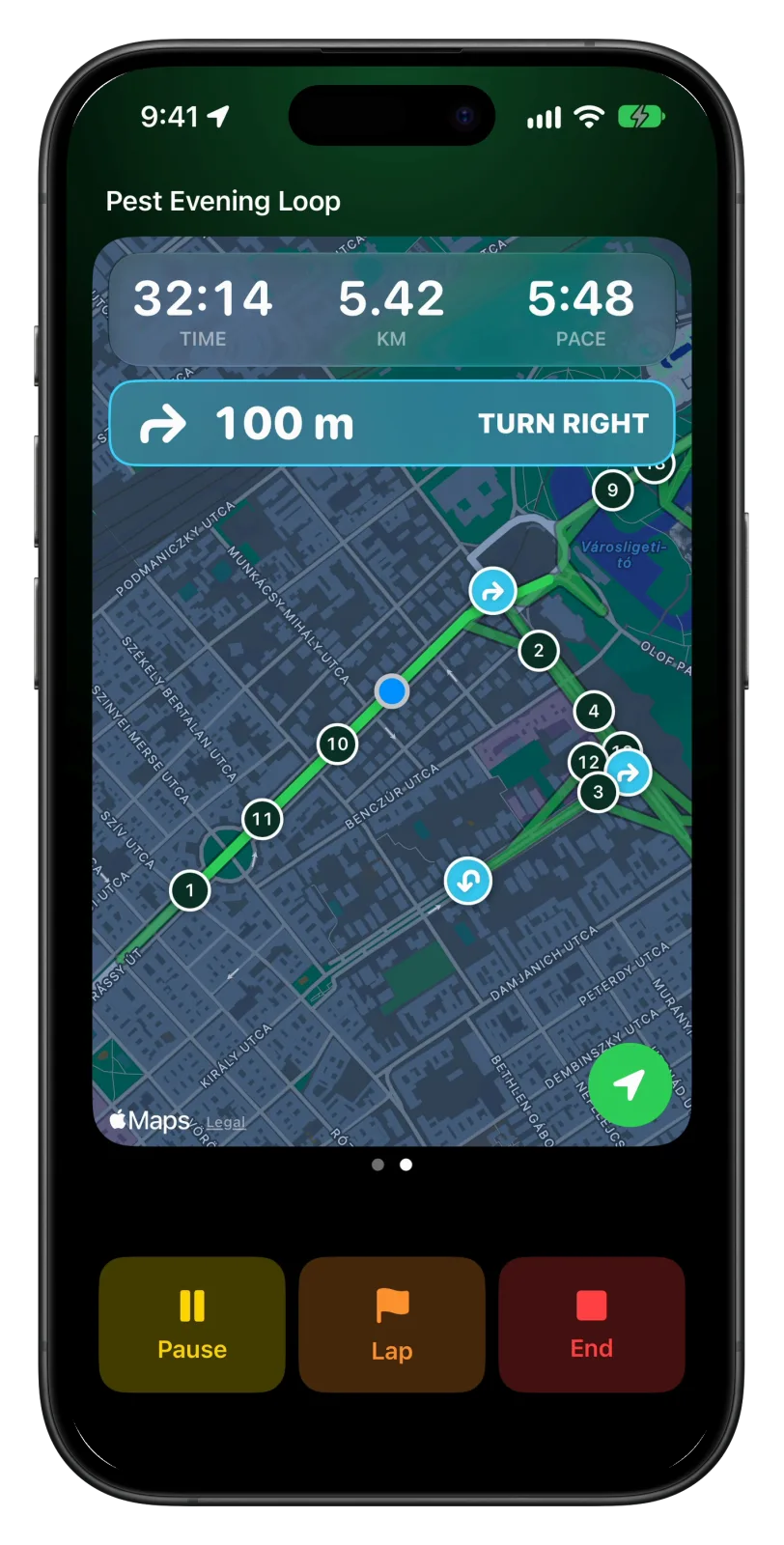
Put the phone in your pocket or an armband and start a free run, a route or one of your workouts. The map follows you and shows the next turn, your headphones call out every kilometre and every corner, and the lock screen keeps time, distance and pace in view. When a Watch comes along, your routes and workouts are already waiting on it.
Runs with the iPhone alone need iOS 26. How it works
Vanoor needs no account, no social graph and no server to record your life. Your workout lives in Apple Health. Your routes stay on your devices. Export them whenever you want.
Import the GPX on your iPhone (from Files, AirDrop, Mail or any share sheet) or draw a route in Vanoor's planner. It syncs to your Watch automatically, and during the run you see the route, your position, off-route warnings and distance markers right on your wrist. How to put a GPX file on Apple Watch →
Yes. Strava doesn't import third-party workouts from Apple Health, so Vanoor uploads your finished runs directly to Strava, route and heart rate included, right after you save them. Connect your Strava account once in Settings. Read the full guide →
Yes. Copy Vanoor's short instructions into ChatGPT, Claude or Gemini after your plan request. The assistant replies with a .vanoor file; open it on your iPhone and every session appears as a workout, grouped by week and ready for your Watch. How to get a good plan from an AI →
Yes. The route, your position and your progress live on the Watch, so the line works with no iPhone and no reception. If you set Map on Watch to Offline in Settings, Vanoor also sends map tiles along the route when it syncs, so the map behind the line keeps working in forests, mountains and anywhere reception drops. Read the full guide →
No. Vanoor is a one-time purchase after a 7-day free trial. No account, no recurring fees. Your training doesn't stop when a subscription lapses, because there isn't one.
Nothing is charged: there is no subscription and no card to cancel. Your runs, routes and workouts stay in the app, and you can still look at them and export them. Starting a new run needs Vanoor Pro, a one-time purchase of $14.99 (or your local price) in the App Store.
On your devices: every run saves to Apple Health, and Vanoor keeps its own copy in your private iCloud. There is no Vanoor account and no Vanoor server.
Yes. Pair any Bluetooth heart-rate strap and Vanoor records it as the run's heart-rate source. It is more accurate than wrist HR for intervals, and saved to Apple Health.
Yes. When you save a route, your iPhone works out every real turn on it. During the run the map panel on your Watch counts down the metres to the next turn, and your wrist gets a tap 60 metres before it and again at the corner. Turn it on in Settings → Alerts; it works offline, with no phone. Read the full guide →
Yes, through AirPods or the Watch speaker. Kilometres, laps, workout splits, fuel, pace, heart rate, off route and turns can each speak, with their own switch, all off until you turn them on in Settings → Alerts. A kilometre sounds like "Kilometre 7. Average pace 5:05." Read the full guide →
Yes. Tap the activity button under Start on your Watch and pick Walk or Hike. You keep your routes, maps and alerts, and the workout is saved to Apple Health and sent to Strava as a walk or a hike. Read the full guide →
No. On iOS 26 or later you can run with the iPhone alone: free runs, routes with turn-by-turn cues on the map, workouts and race pacing, with voice in your headphones and heart rate from a Bluetooth chest strap. A Watch adds everything on your wrist, and the phone can stay at home. Running with your iPhone
iPhone on iOS 17 or later, and Apple Watch on watchOS 10 or later. Runs with the iPhone alone need iOS 26. Live pace uses Apple's sensor-fused running speed on Apple Watch Series 6 and newer, with GPS and pedometer fallbacks on older models.
Try everything free for 7 days. Then $14.99, once. Run for good.
On Android?
How it works
All guides