 Vanoor
Guide + calculator
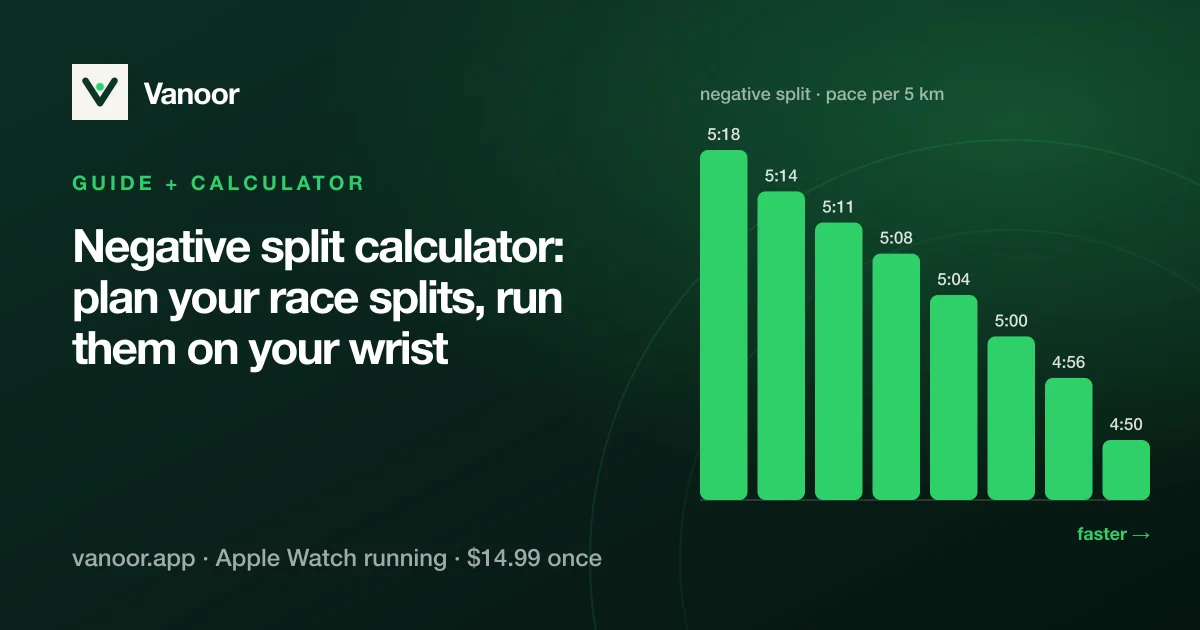
Negative split calculator: plan your race splits and run them on your Apple Watch
On this page
A race plan decides how you spread your effort across the distance. You can start conservative and finish fast (a negative split), hold one pace from gun to tape (even), or bank time early and hang on (a positive split). The right answer depends on the distance, the course and what you are racing for. Here is how the three compare, when to pick which, and how to turn the choice into split-by-split targets your Watch holds you to.
Negative split calculator
Goal time and distance in, split targets out. This is the same drag-the-curve planner as in the Vanoor app. Pick how many splits (or one per km or mile), then drag either end of the line: the other end mirrors it, so the total always equals your goal time.
Drag either end of the line up or down (or use the slider): the other end mirrors it, so the plan always finishes on your goal time. Faster is higher.
| Split | To | Pace | Split time | Elapsed |
|---|
Run this plan on your Apple Watch
Send the plan to Vanoor and it lands in My Workouts with every split's target pace already set. Sync it, and on race day the Watch shows the band for the split you're in and whether you're inside it. Switch on Off-pace alert in Settings → Alerts and it taps your wrist when you drift out.
On an iPhone with Vanoor, Send to Vanoor opens the app with this plan. On a computer it shows a QR code to scan with your iPhone.
Saved as a .vanoor file. On iPhone, open it from Downloads in the Files app and choose Vanoor; from a computer, AirDrop or email it to your iPhone.
No Vanoor yet? Get it on the App Store. It's 7 days free, then $14.99 once. The plan is built in your browser; nothing is uploaded.A negative split of 8 s/km on a 1:45 half marathon means starting around 5:03/km and finishing around 4:55/km, which is the planner's starting shape above. That is a small difference to feel and a big one to hold, which is why the plan belongs on your wrist.
The three strategies in one picture
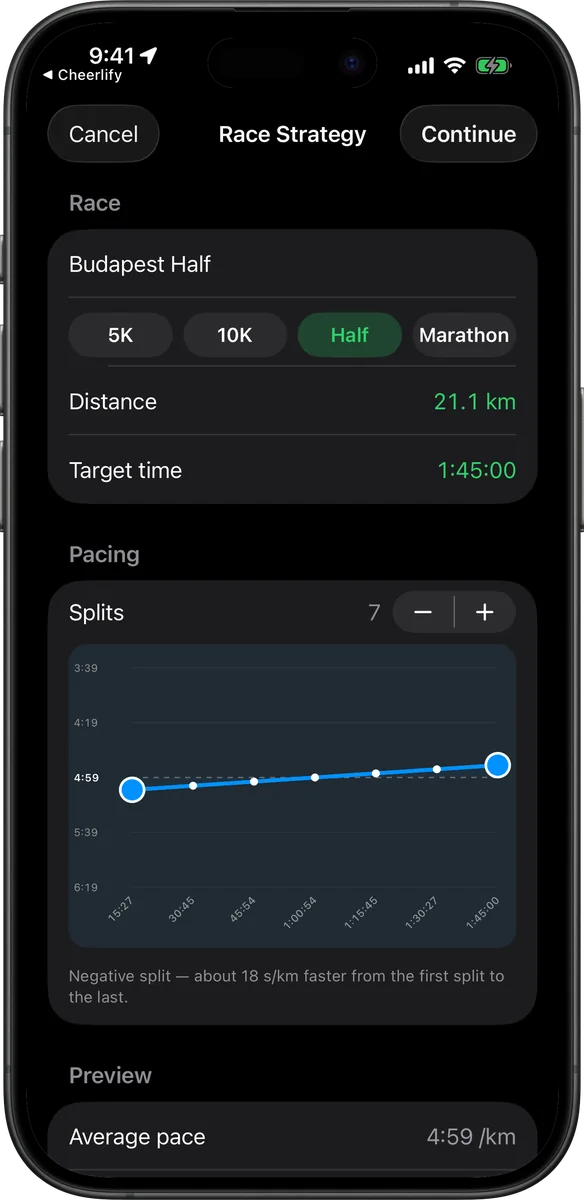
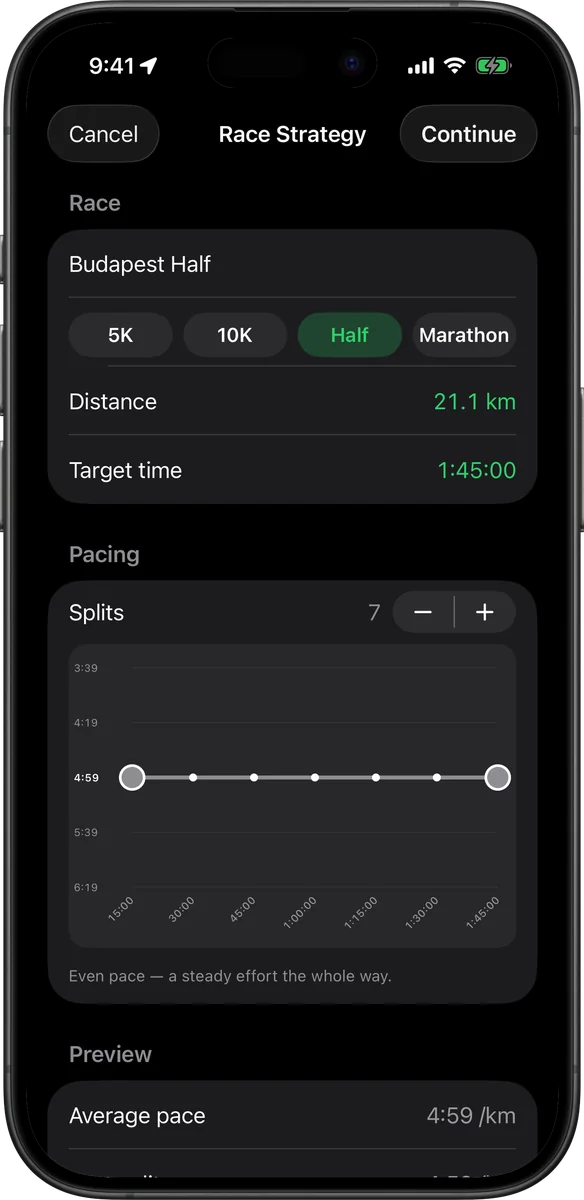
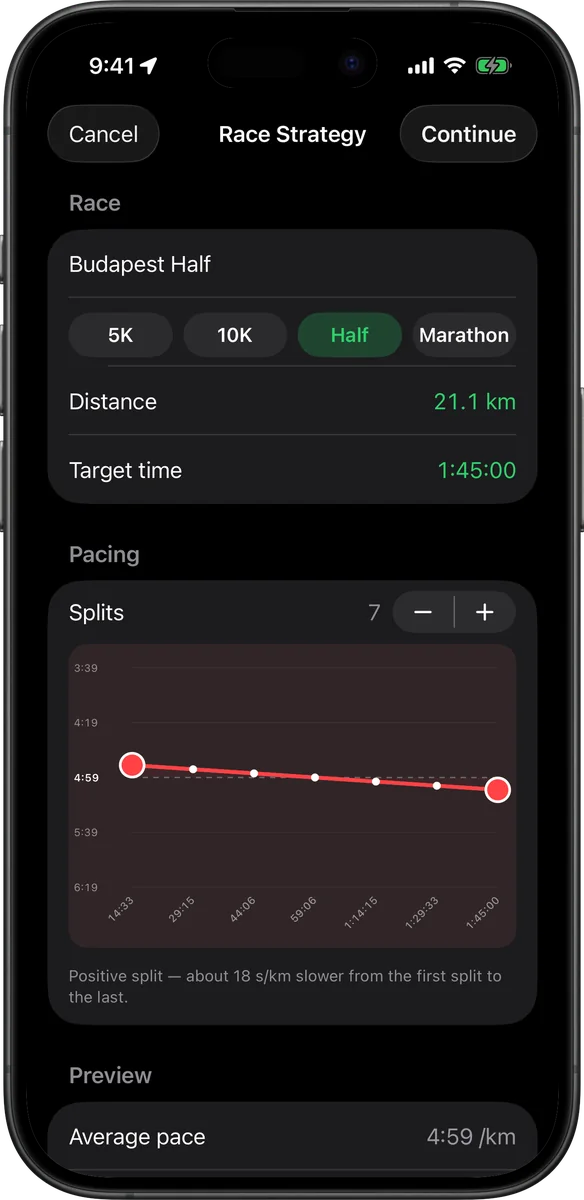
All three plans above finish a half marathon in the same 1:45:00. The shape only changes where the seconds are spent; the average stays the same.
Negative split: the default for a personal best
Run the first half slightly slower than goal pace and the second half slightly faster. Most distance records from the 10K up were set this way, and the physiology explains why: an easier first half spares glycogen and keeps lactate low, so the legs still have something to give when it matters. Psychologically it also turns the last kilometres into overtaking instead of surviving.
Use it when: you are chasing a time on a flat or rolling course, you know your fitness well, and you can resist the start-line surge. The cost: a few seconds "given away" early. Run it too conservatively and you finish with fuel in the tank and a slower time than you had in you. Keep the spread modest: roughly 5–10 s/km between the first and last split for a half marathon, a touch more for the marathon.
Even split: the most efficient line
Physically, a perfectly even effort is the cheapest way to cover a distance: no surges, no deficit to repay. In practice most "even" races are run as a very gentle negative split, because the first kilometres feel free and the last do not. Even pacing is also the safest choice when you have no idea what shape you are in, because it makes the race a controlled experiment.
Use it when: 5K and 10K, where the race is too short to bank or spare much; time trials; any day you want a clean read on your fitness. Watch out for: courses with a hilly second half, where "even pace" means an uneven effort. Plan by effort there, not by the clock.
Positive split: when it is actually the right call
Going out fast and fading is how most beginners race by accident, and it is the classic way to blow up a marathon. But a planned positive split has real uses: a course whose first half is downhill or sheltered and whose second half climbs into the wind (bank time where it is cheap), a 5K where a hard start is the only way to get on the pace of the group you need, or a championship race where positioning early is worth more than a perfect curve.
Use it when: the course or the tactics reward it. Never by accident: if you do not have a reason for a fast start, you do not want one.
Quick guide by distance
| Race | Usual best choice | Why |
|---|---|---|
| 5K | Even, or a slight positive split | Too short to spare much; the first kilometre sets the race. |
| 10K | Even to gently negative | Long enough for a fast start to hurt, short enough that the spread should stay small. |
| Half marathon | Negative (5–10 s/km spread) | Glycogen is not the limiter, but pacing discipline is. |
| Marathon | Negative (or even on a flat course) | Every second banked early costs more than it is worth after 30 km. |
| Hilly / windy course | Effort-based, often a positive split by the clock | Pace the terrain, not the number. |
How to build the plan in Vanoor
Vanoor's race pacing planner turns the strategy into a structured workout that your Apple Watch runs like any other. Each segment is one split with its own pace band. The quickest route is the calculator above: shape the plan and tap Send to Vanoor, and it opens in the app ready to sync. In the app itself it takes about a minute:
- My Workouts → + → Race Pacing Strategy. Pick the distance (5K, 10K, half, marathon, or any other distance on the wheel) and your goal time. The average pace updates as you go.
- Choose how many splits (7 for a half is a good default: about 3 km each). More splits give a smoother curve; fewer are easier to remember.
- Drag the curve. Pull the first handle down and the last one up for a negative split, the opposite for a positive split, or leave it flat for even. The planner keeps the total time fixed whatever shape you draw: the finish time in the bottom-right corner never changes, only the split times along the axis.
- Continue and you get an editable workout: every split already has its target pace, so you can rename them, add a fuel cue at 45 minutes, or attach the race's GPX route before saving.
First race, or coming back from a break? A plan built on run/walk intervals is a perfectly good negative split: the walk breaks simply get shorter as the race goes on.
What it looks like on race day
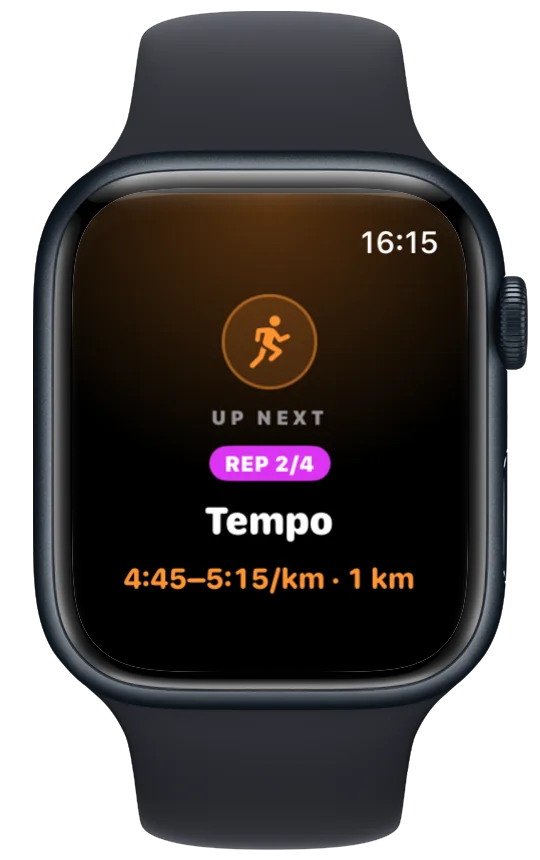
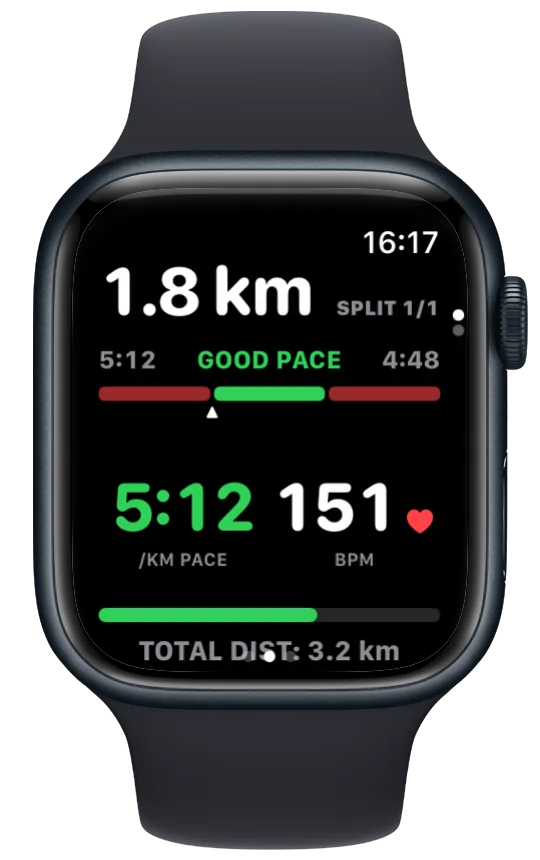
During the run the Watch shows the split you are in, the pace band for it (your target ±10 s/km) and where your live pace sits inside it. A firm heads-up buzz tells you the split is about to end, growing taps count down the last seconds, and the next split's card announces the new target before it starts. That turns a negative split into seven small instructions on your wrist. Afterwards the run is saved to Apple Health and, if you have connected it, uploaded to Strava with the plan written into the activity description.
Racing the full distance? The marathon and half marathon pacing guide covers fuelling cues, the wall and what to do when the plan slips.
Pacing guidance last reviewed 18 September 2026.
The split tables are computed from your goal time and the chosen spread; the pacing argument is our own reasoning from race data, not a cited study.
Related guides
Picked by shared topics.
Keep the Watch. Upgrade the run.
Vanoor: offline route navigation, race pacing and structured workouts on the Apple Watch you already own.
Get Vanoor on the App Store 7-day free trial · $14.99 once, no subscription · no account