 Vanoor
Guide
Record a walk or a hike
On this page
Vanoor records walks and hikes as well as runs. You choose the type on the Watch just before you start, and the workout is saved as that type everywhere it goes.
Pick the type before you start
- Open Vanoor on the Watch and pick a route, or a run without a route.
- On the Controls page, look at the middle one of the three small buttons under Start. It shows a running figure.
- Tap it to move to the next type. Each tap goes Run, Walk, Hike and back to Run.
- The big button follows: Start, Start Walk or Start Hike. Tap it to begin.
Every workout starts as a run until you change it, so check the button before a walk.
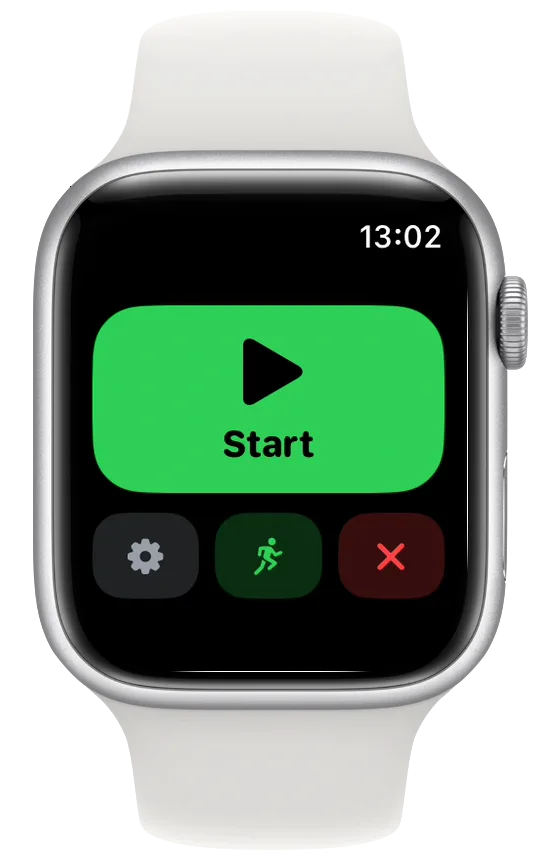
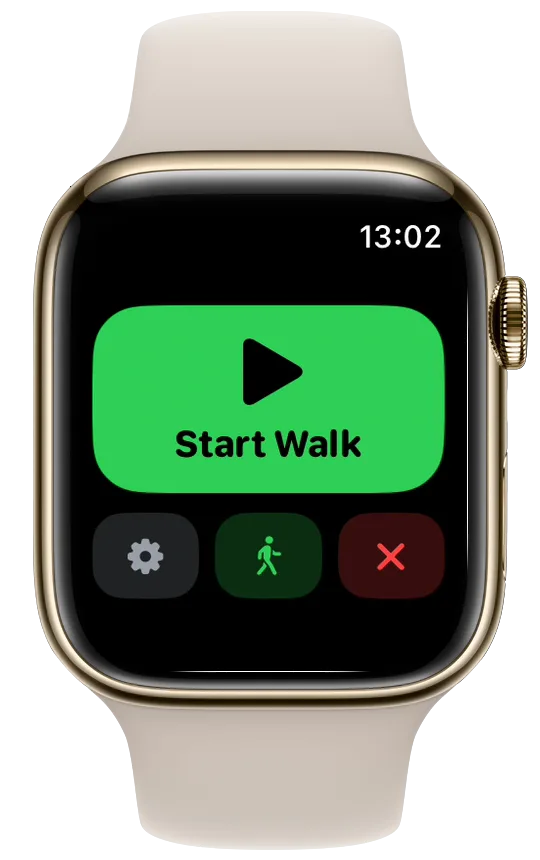
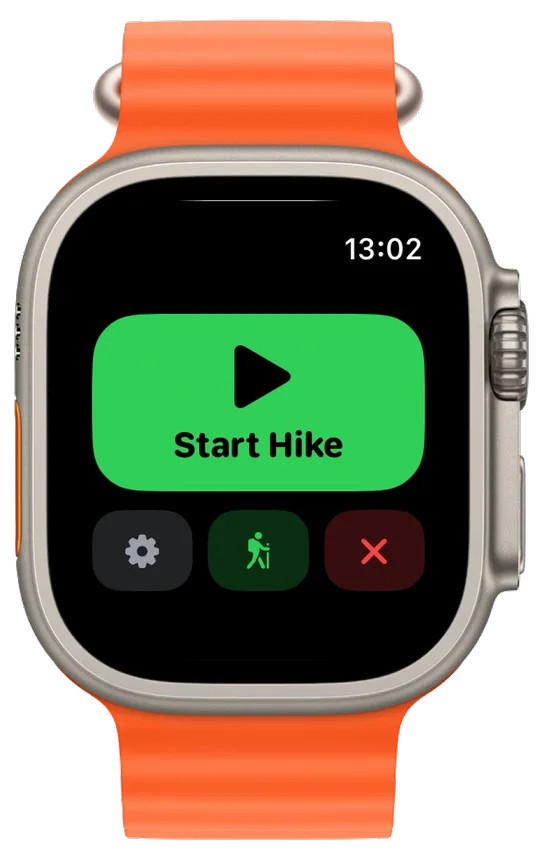
What changes on a walk or a hike
A walk or a hike uses the same data pages as a run, and your route, map, turn cues, alerts and voice cues all come along. The one page that is skipped is Metrics, the page with your running form (cadence, stride, ground contact, bounce and power), because the Watch only records running form on a run.
Words on the Watch follow the type. The end dialog offers Save Walk or Save Hike, and the summary reads Walk Complete or Hike Complete on a workout without a route.
Apple Health and Strava
A walk goes to Apple Health as a walk and a hike as a hike, so the Fitness app counts them in the right place. If you have connected Strava, Vanoor uploads them as a walk or a hike too. The Strava and Apple Health guide explains the connection.
Find them in Activity
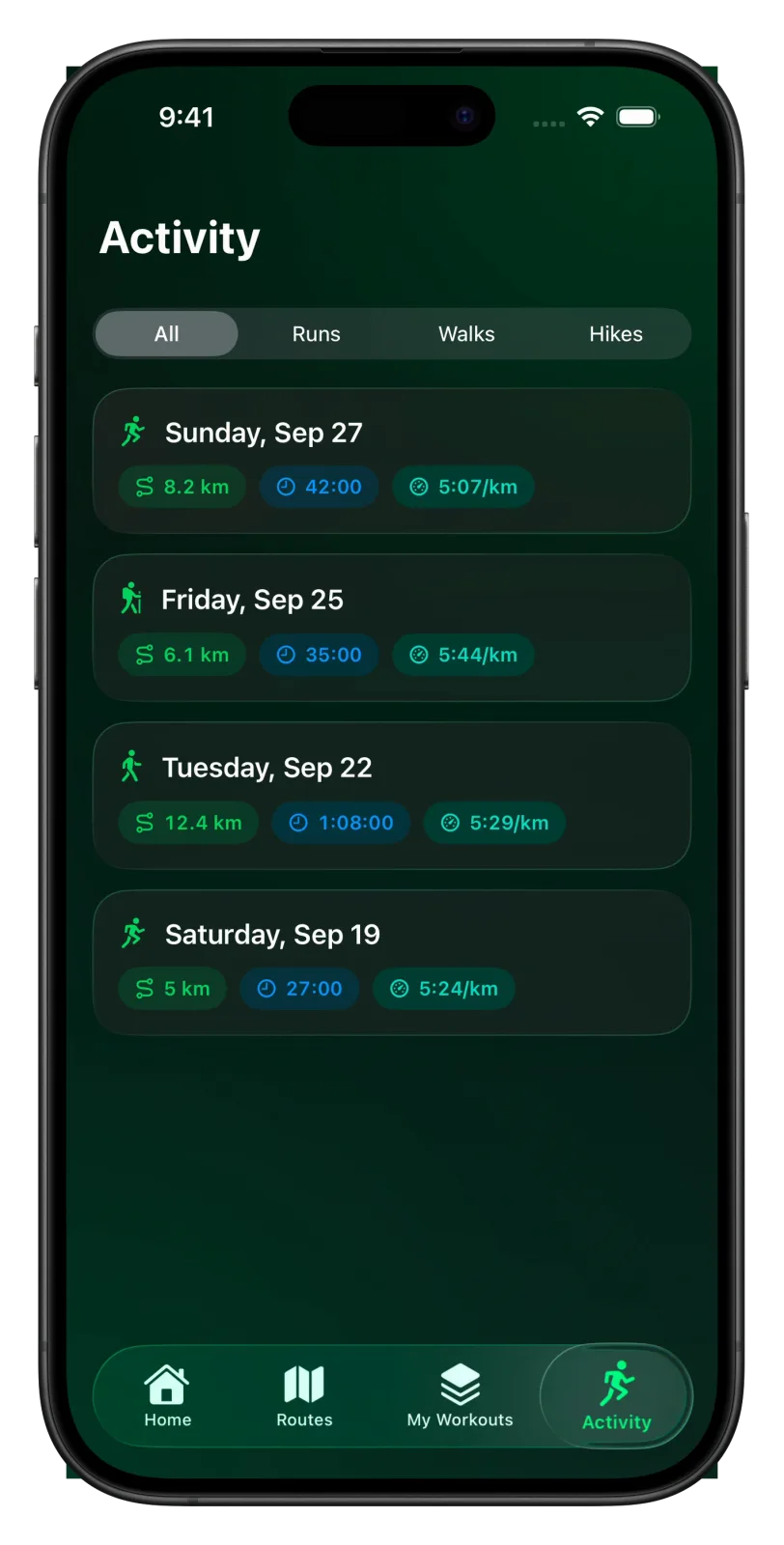
In the Activity tab on your iPhone, each workout has an icon for its type. Once you have more than one type of workout, a filter appears at the top with All, Runs, Walks and Hikes. With only runs, the filter stays hidden.
- Auto-pause works the same way on walks and hikes, and stops the clock when you stand still. See the auto-pause guide.
- For a long day on the hills, set the Watch map to Offline before you leave. The offline maps guide shows how.
- Planning a run with walking breaks instead? Read run/walk intervals on Apple Watch.
Related guides
Picked by shared topics.



Keep the Watch. Upgrade the run.
Vanoor: offline route navigation, race pacing and structured workouts on the Apple Watch you already own.
Get Vanoor on the App Store 7-day free trial · $14.99 once, no subscription · no account