 Vanoor
Guide
Voice cues for running on Apple Watch: what Apple's apps say, and how to hear your splits
On this page
Some runners never want the Watch to talk. Others want to hear every kilometre, so they never have to lift the wrist. Both are reasonable, and what you can get depends on the app. Here is what Apple's own apps say during a run, what they need, and how to pick your cues one by one.
Apple's Workout app: Voice Feedback
The built-in Workout app can speak. On the Watch, open Settings → Workout → Voice Feedback. It announces milestones such as each mile or kilometre with your pace, closed Activity rings and a reached workout goal. It is one switch for all of it.
Workout Buddy (watchOS 26)
Workout Buddy is Apple's newer spoken coach. It comments on your workout as it happens and calls out milestones, like a fastest 10K. According to Apple's user guide it needs an iPhone with Apple Intelligence nearby, Bluetooth headphones or speakers, and English as the device and Siri language. That rules it out for phone-free runs.
What a runner usually wants to hear
When you ask runners, the list is short and practical:
- the kilometre (or mile) and the pace, without looking;
- the next interval and its target, as it starts;
- when to take the gel, on a long run or a race;
- the turn, on a route you don't know;
- a warning when pace or heart rate drifts out of the plan.
Each of these is useful on its own, and each one is annoying on the wrong day. That's why one switch for everything rarely fits.
How Vanoor does it: one switch per cue
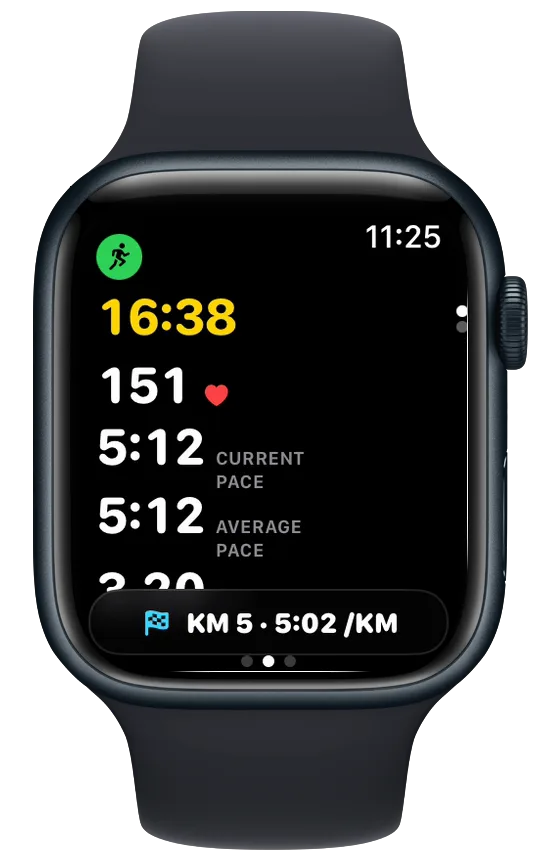
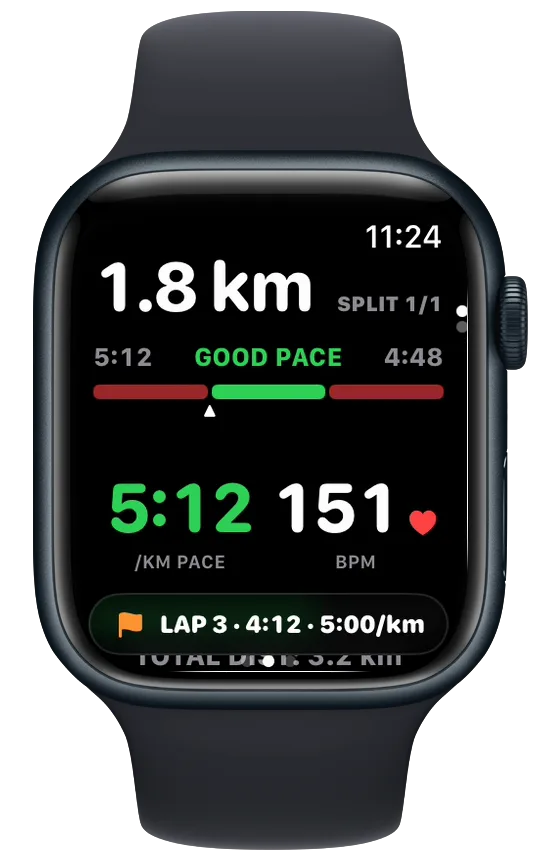
In Vanoor every cue has its own speak switch in Settings → Alerts, and they all start off. Pace, heart rate, off route, turns and kilometres also have their own buzz switch, so you can hear a cue, feel it, or both. What you hear is short on purpose:
| Cue | What the Watch says |
|---|---|
| Kilometre | "Kilometre 7. Average pace 5:05." |
| Lap (you pressed Lap) | "Lap 4. Pace 3:58." |
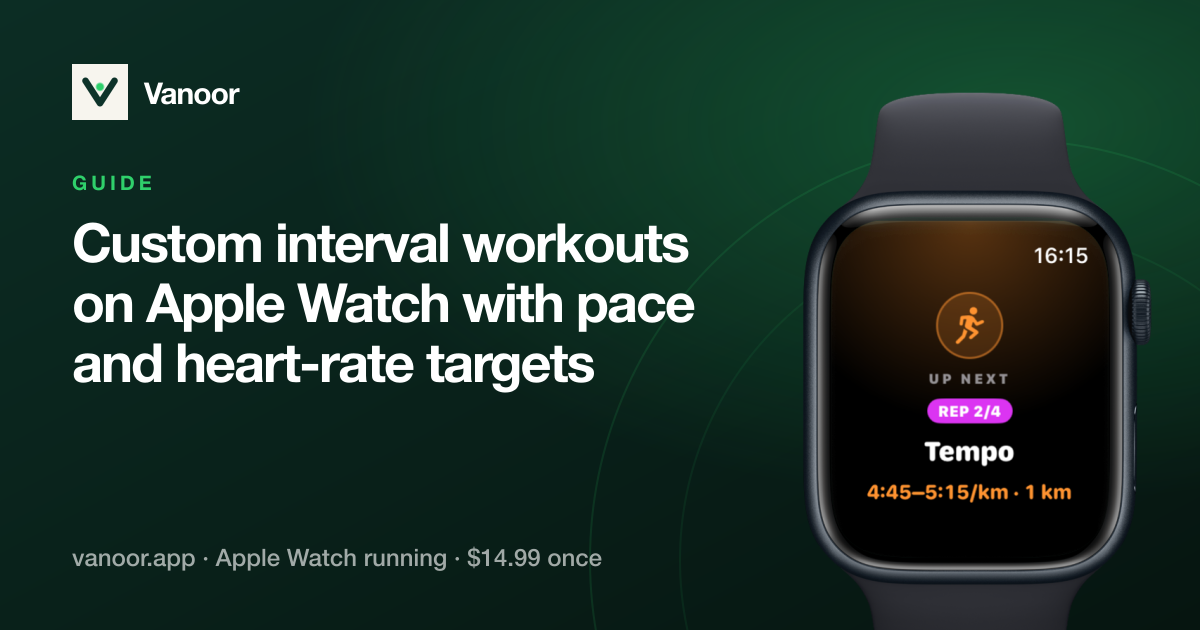
| Next workout step | "Rep 3 of 6. 400 metres at 4:05." |
| Fuel | "Take 1 piece of gel and 250 millilitres of water." |
| Pace out of range | "Speed up." / "Slow down." |
| Heart rate out of zone | "Heart rate too high." / "Heart rate too low." |
| Off route | "Off route." |
| Turn | "In 60 metres, turn right." |
Paces are spoken the way a coach says them ("five oh five"), so the voice doesn't read 5:05 as a time of day. In miles mode the kilometre cue becomes the mile, and turns are counted in yards.
Where the sound comes from
With AirPods or other Bluetooth headphones connected, the cue plays there and your music gets quieter while it speaks. Without headphones it plays through the Watch speaker. That works on a quiet path but is hard to hear next to traffic, so headphones are the better choice in town. No iPhone is needed, and it works offline.
Cues that arrive together
A kilometre can end at the same moment an interval starts. Vanoor speaks the most important one first (a turn, then the workout step or fuel, then the rest) and drops cues that are no longer true by the time they would play, like a pace warning from ten seconds ago.
Battery
With every voice switch off, nothing changes: the speech engine isn't loaded at all. With a few cues on, the cost is a second or two of audio now and then, far less than streaming music.
Muting for one run
On the Watch, Controls → Run Settings → Mute voice silences the voice for that run only, without touching your settings. Handy for a group run or a race with its own announcer.
Setting it up
- On the iPhone, open Vanoor and tap the gear on Home.
- Open Alerts.
- Turn on the speak switch for each cue you want. Play a sample lets you hear the voice first.
- Start a run. The settings are already on the Watch.
Everything each alert does is in the Run alerts guide. If you run intervals, pair this with custom interval workouts. For turns on a planned route, see turn-by-turn directions for running.
Common questions
Can Apple Watch announce my pace every kilometre?
Yes. In Apple's Workout app, turn on Settings → Workout → Voice Feedback on the Watch. In Vanoor, turn on the spoken kilometre cue in Settings → Alerts, which says the kilometre and your average pace.
Do I need my iPhone for spoken cues?
Not for the Workout app's Voice Feedback and not for Vanoor. Workout Buddy does need an iPhone with Apple Intelligence nearby.
Can I hear cues without headphones?
Yes, through the Watch speaker. It is quiet, so it works best away from traffic.
Will the voice stop my music?
No. Your music gets quieter while a cue plays and comes back afterwards.
Related guides
Picked by shared topics.

Keep the Watch. Upgrade the run.
Vanoor: offline route navigation, race pacing and structured workouts on the Apple Watch you already own.
Get Vanoor on the App Store 7-day free trial · $14.99 once, no subscription · no account