 Vanoor
Guide
Set your heart-rate zones
Vanoor uses five heart-rate zones. They colour the Heart Rate page on the Watch, set the band for workout steps with a zone target, and split each finished run into time per zone. You can let Vanoor work them out from your age, or type in your own limits.
Open the zones
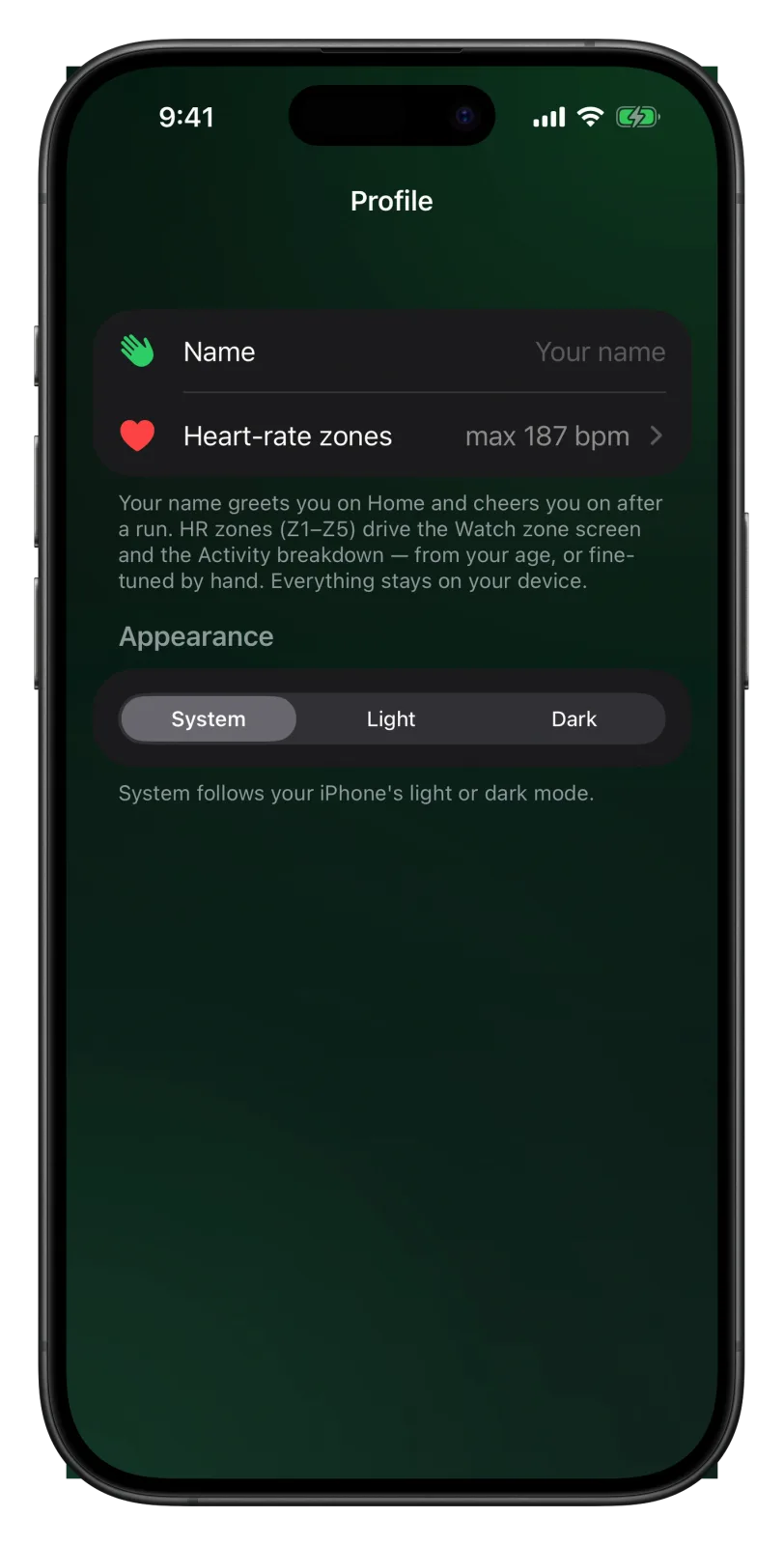
- Open Vanoor on your iPhone and tap the gear on Home to open Settings.
- Tap Profile.
- Tap Heart-rate zones. The row shows your current maximum, for example max 187 bpm.
Zones from your age
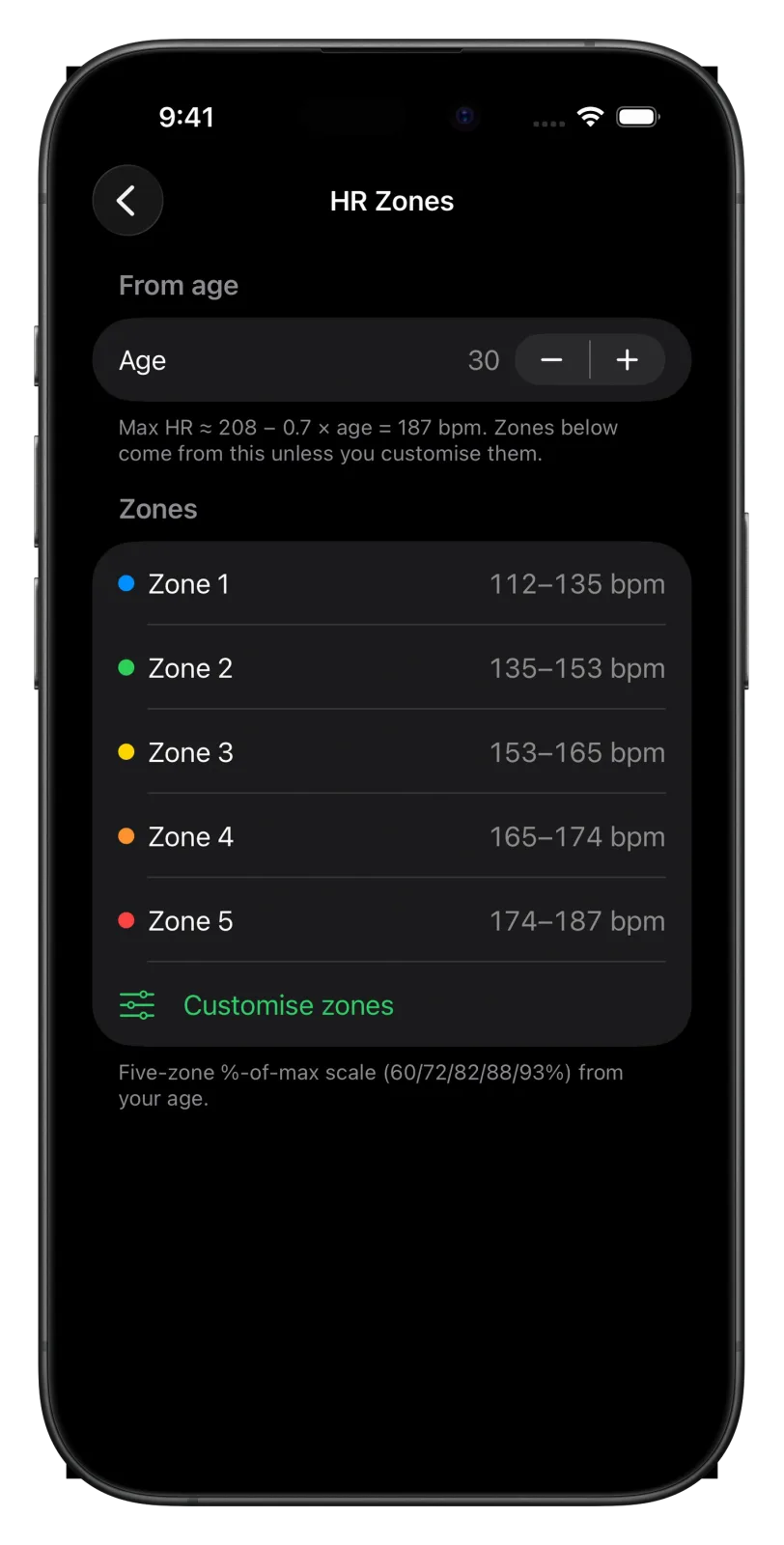
When you first open Vanoor it asks your age. From that it estimates your maximum heart rate as 208 minus 0.7 times your age, so 187 bpm at 30. The zones start at 60, 72, 82, 88 and 93 percent of that maximum, and Zone 5 ends at the maximum itself.
To change your age, use the minus and plus buttons next to Age. The maximum and all five zones update straight away.
Your own limits
If you know your real maximum or your zones from a lab test or a coach, set them by hand.
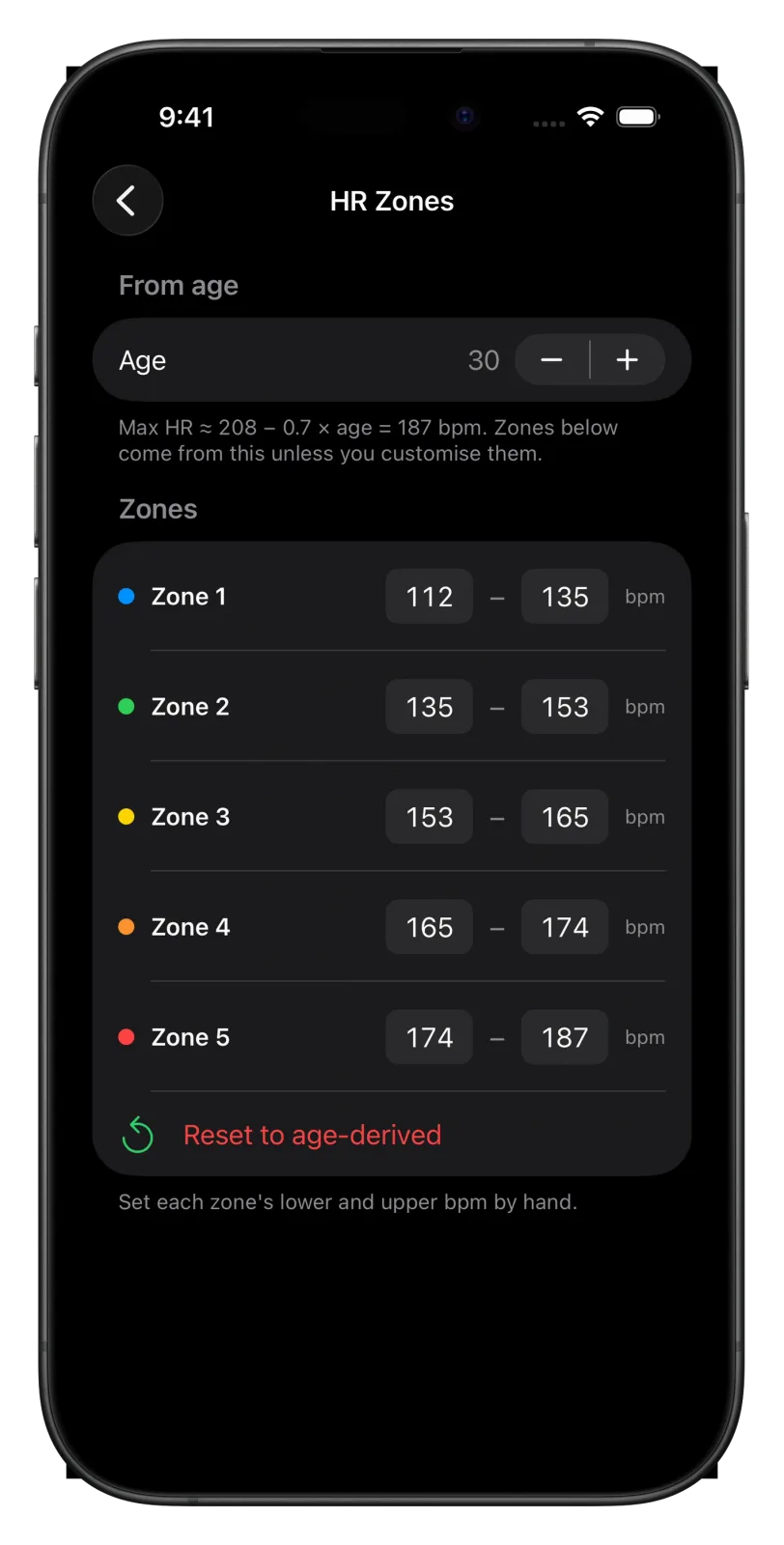
- Tap Customise zones.
- Each zone now has two boxes, the lower and the upper limit in beats per minute. Tap a box and type the number.
With your own limits set, your maximum is the top of Zone 5. Reset to age-derived takes you back to the zones from your age.
Zones on the Watch
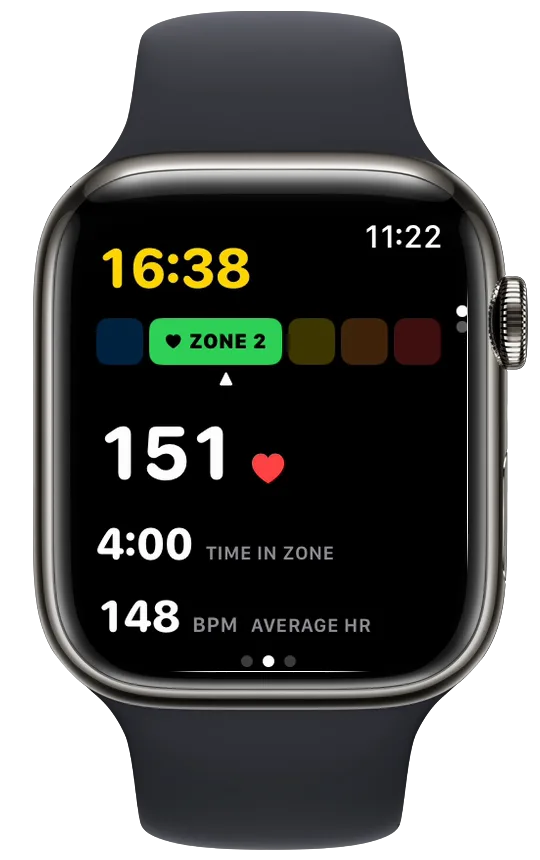
Your zones go to the Watch with your other settings. The Heart Rate page shows five coloured blocks with your current zone lit and named, your heart rate in large type, the time you have spent in this zone and your average heart rate. Add or move the page in Settings → Watch Screens, as the Watch screens guide explains.
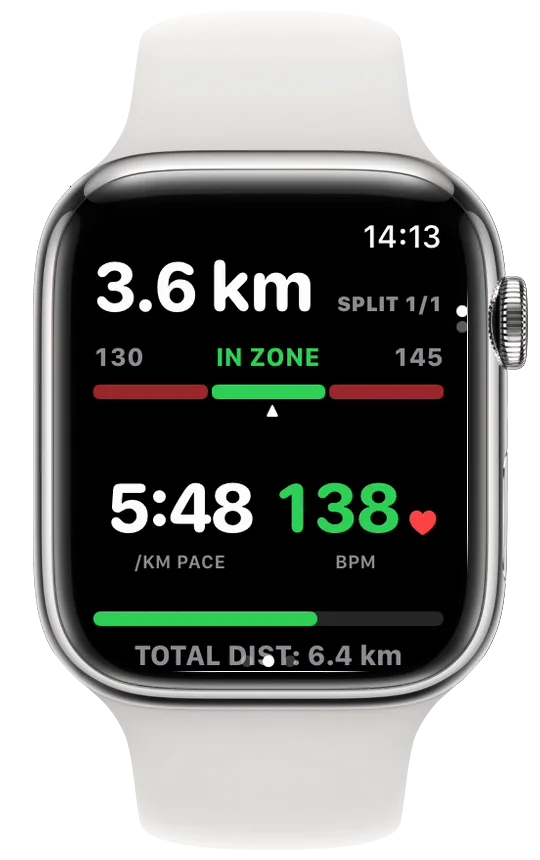
In a planned workout, a step with a Zone target uses the same limits. The Split Target page shows the band from the lower to the upper limit and reads IN ZONE while you are inside it.
Zones after the run
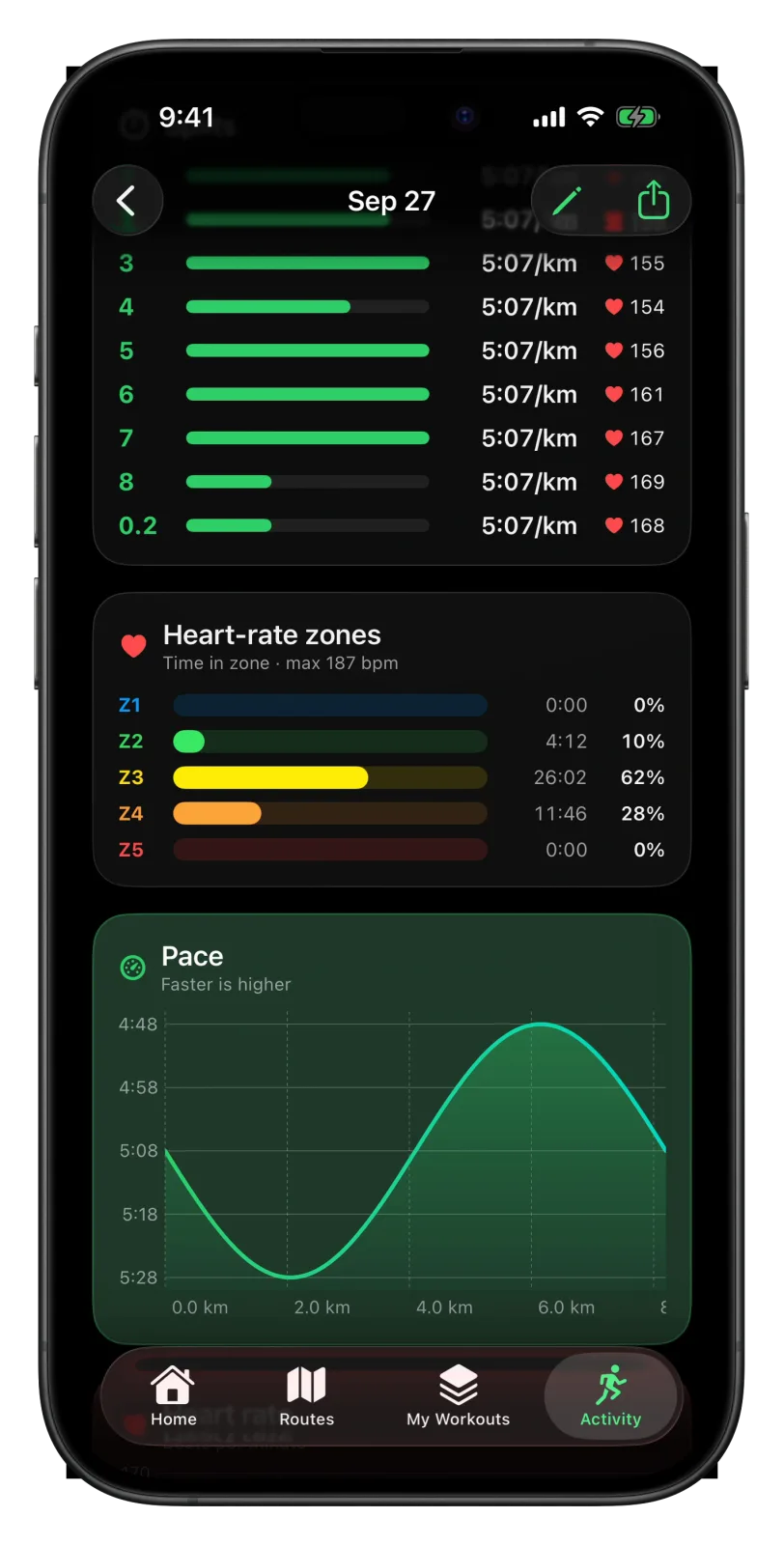
Open a run in the Activity tab on your iPhone. The Heart-rate zones card shows how long you spent in each zone and what share of the run that was.
- Your age and zones stay on your device. Vanoor has no account.
- The off-zone alert, which buzzes when you leave a zone target, is off by default. Switch it on in Settings → Alerts; the run alerts guide explains it.
- To build a workout with zone targets, see the interval workout guide.
- How the age estimate compares with other formulas: heart-rate zones calculator for running.
Related guides
Picked by shared topics.

Keep the Watch. Upgrade the run.
Vanoor: offline route navigation, race pacing and structured workouts on the Apple Watch you already own.
Get Vanoor on the App Store 7-day free trial · $14.99 once, no subscription · no account