 Vanoor
Guide
Run to a beat with the cadence metronome
The metronome gives you a steady beat to match your steps to, as a click in your ears, a tap on your wrist, or both. It lives on its own page on the Watch, which you add from the iPhone.
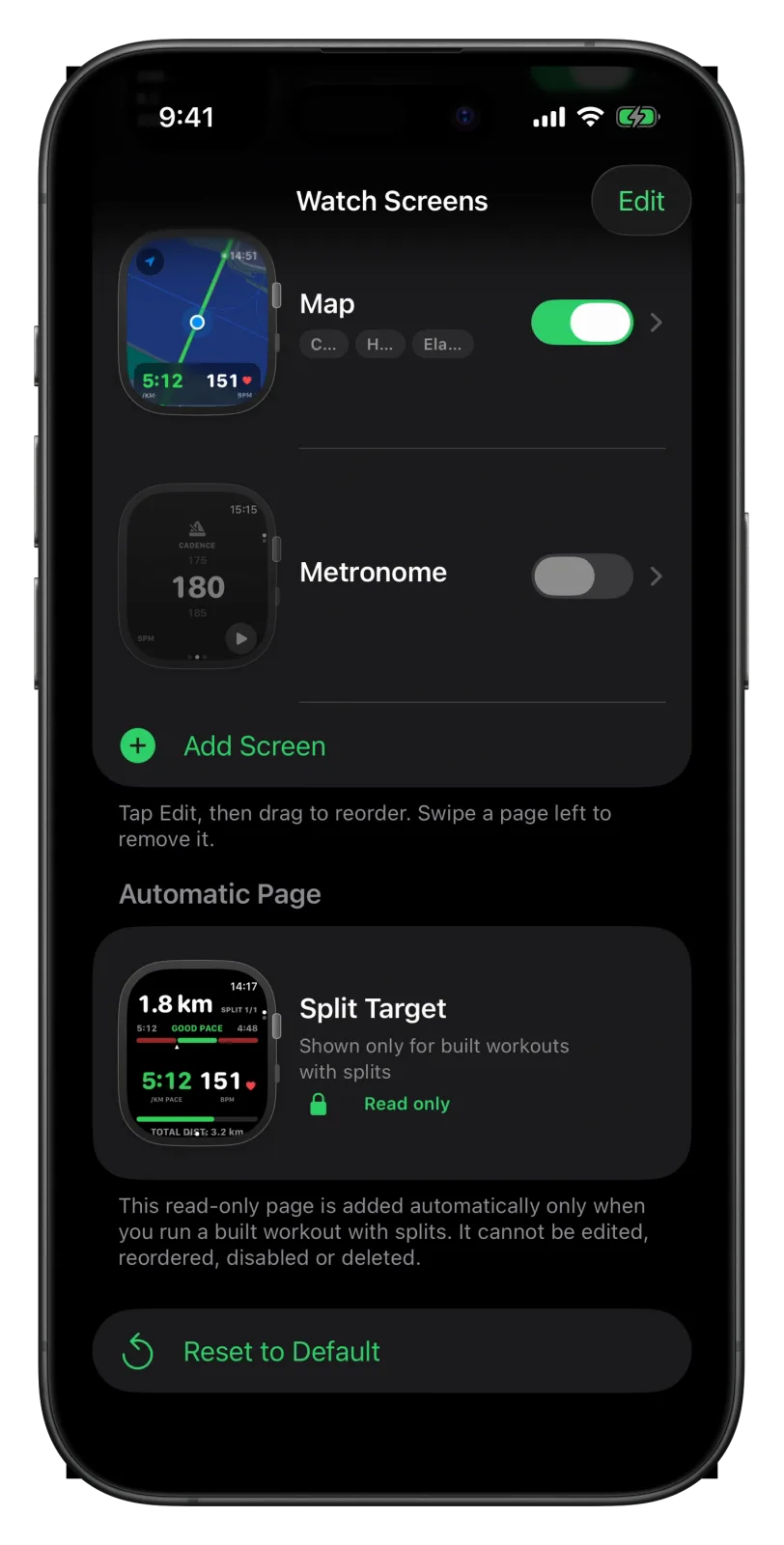
Add the Metronome page
- Open Vanoor on your iPhone and tap the gear on Home to open Settings.
- Tap Watch Screens and scroll down to Metronome. It is in the list but starts switched off.
- Turn on its switch. If five pages are already on, turn another one off first, since the Watch shows up to five.
- To place it, tap Edit and drag it up or down the list.
If you deleted it earlier, tap Add Screen and pick Metronome to bring it back. The Watch screens guide covers the page list in full.
Choose how you feel the beat
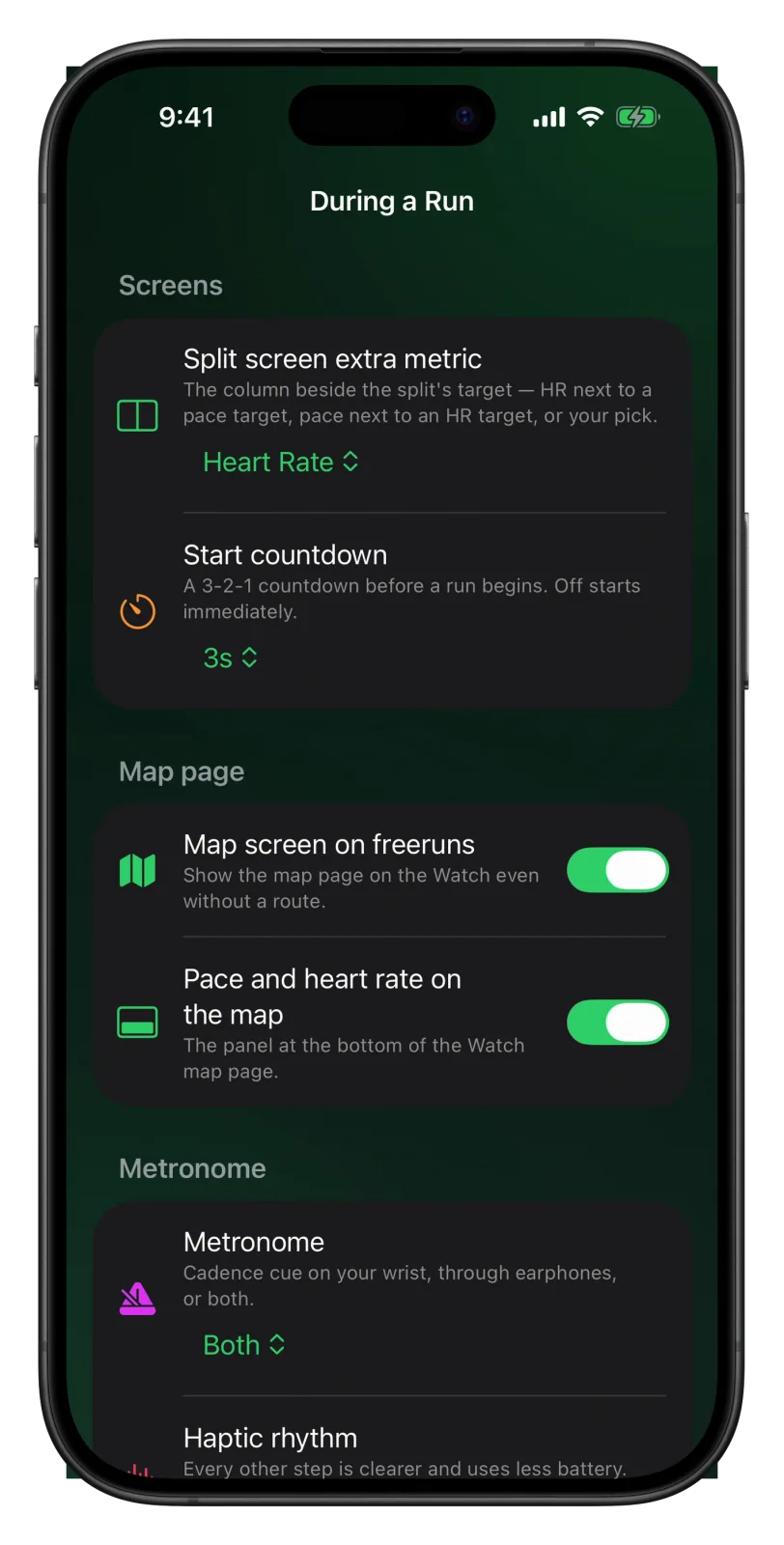
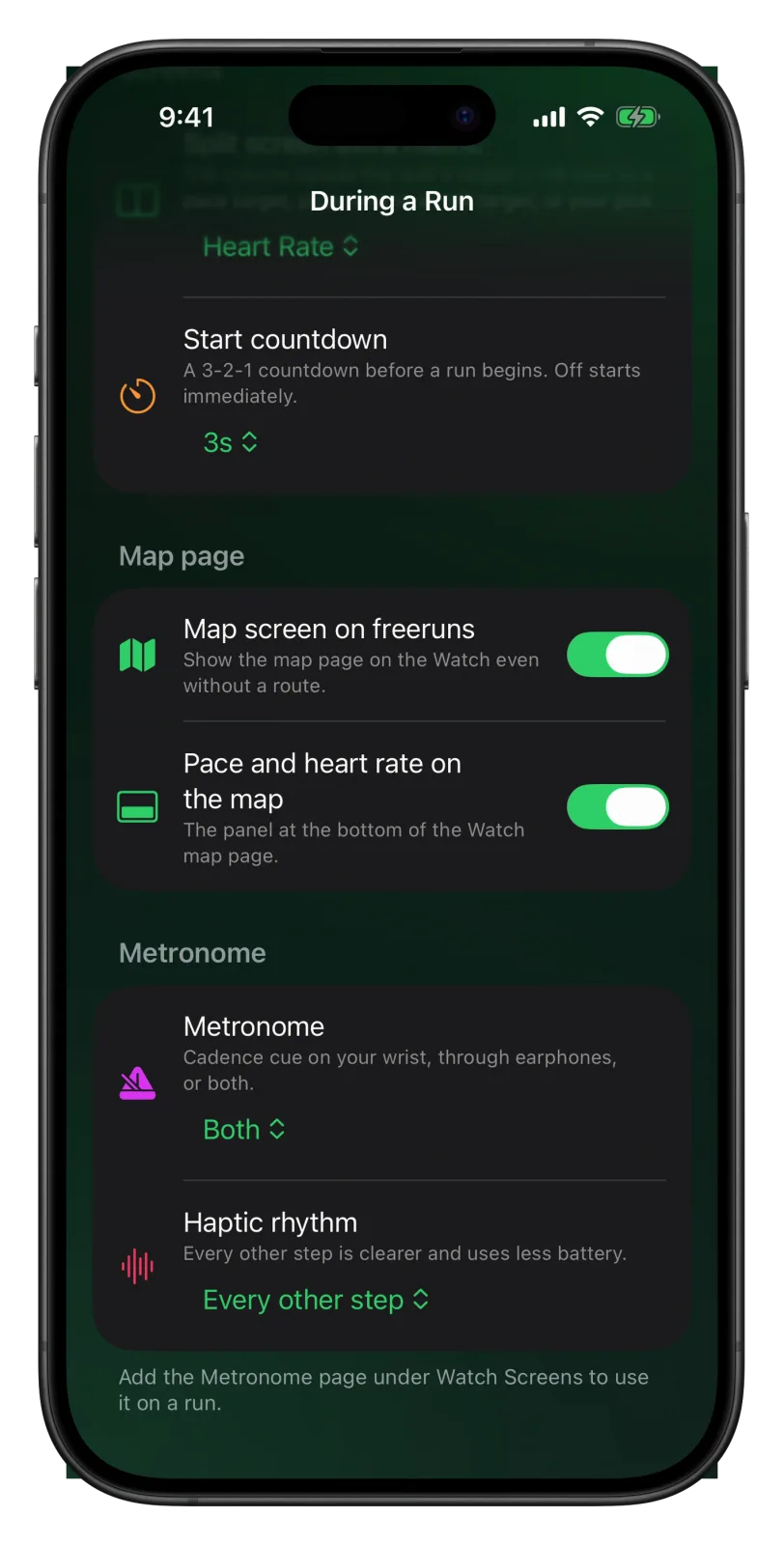
In Settings → During a Run, the Metronome section has one choice with three options:
- Sound, the default: a short click through your headphones, or the Watch speaker without them. Music gets quieter while the metronome plays.
- Haptic: a tap on your wrist, with no sound.
- Both: the click and the tap together.
With Haptic or Both, a second row appears, Haptic rhythm. Every other step, the default, taps on every second beat, so 180 steps per minute gives 90 taps a minute. It is easier to feel and uses less battery. Every step taps on every beat.
Use it on the run
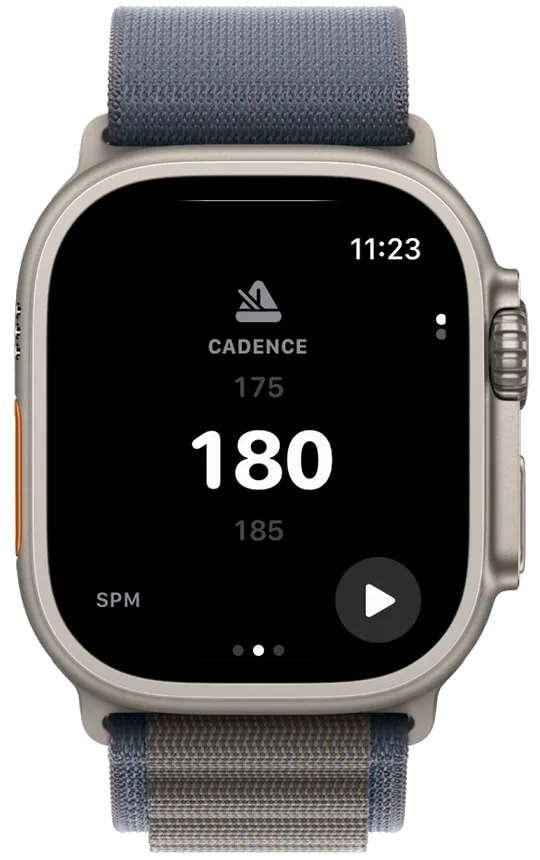
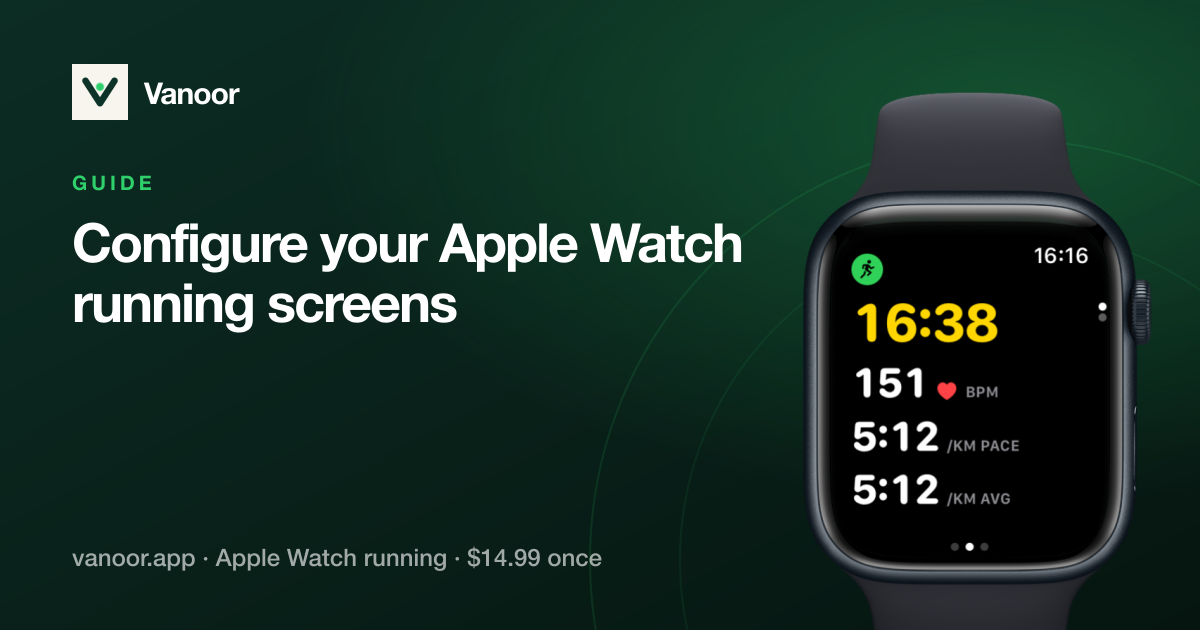
- During the run, move to the Metronome page with a swipe up or down, or the Digital Crown.
- Set the beat by dragging the big number up for faster or down for slower. It moves in steps of 5, from 100 to 210 steps per minute, and starts at 180.
- Tap the play button in the bottom right corner. It turns green, the number turns green and the icon above it blinks in time with the beat.
- Tap it again to stop.
The metronome keeps going when you move to another page or your screen goes dark, so you can start it and go back to your data. On this page the Digital Crown still moves between pages; only a drag on the number changes the beat.
- The Metronome page doesn't count as a data page, so it can't be your only page.
- A double tap on this page doesn't mark a lap. Use the Lap button on the Controls page instead.
- To see your real cadence, look at the Metrics page during a run, or the cadence chart on the run page in Activity afterwards.
- Which cadence to aim for, and how to change it slowly: cadence metronome on Apple Watch.
Related guides
Picked by shared topics.

Keep the Watch. Upgrade the run.
Vanoor: offline route navigation, race pacing and structured workouts on the Apple Watch you already own.
Get Vanoor on the App Store 7-day free trial · $14.99 once, no subscription · no account