 Vanoor
Guide
Voice cues: what Vanoor says and how to set it up
On this page
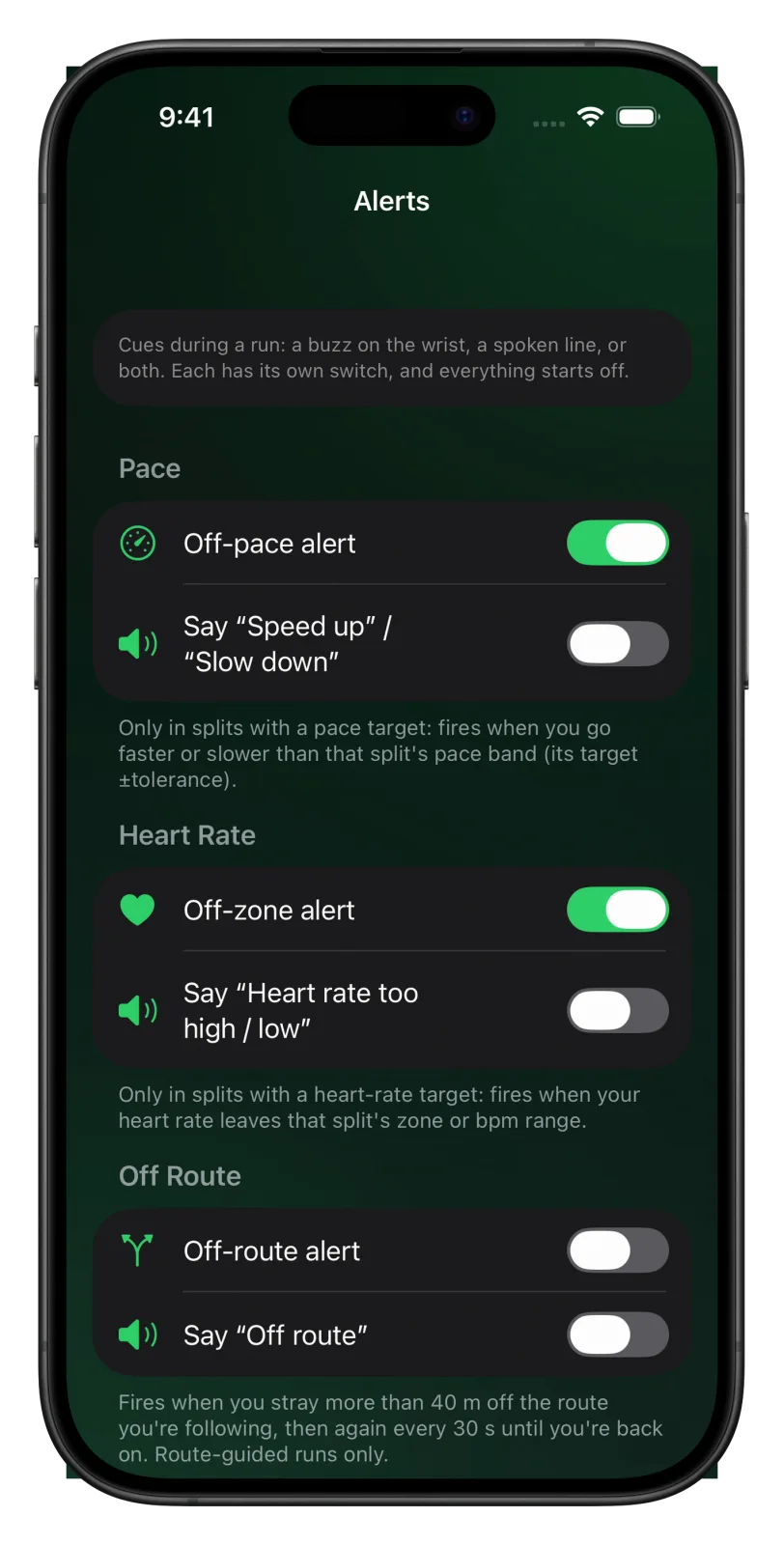
Vanoor can speak to you during a run: each kilometre, each lap, the next workout step, fuel reminders, turns and alerts. Every spoken cue is off by default, so the Watch stays silent until you turn on the ones you want in Settings → Alerts.
Where the switches are
- Open Vanoor on your iPhone and tap the gear on Home to open Settings.
- Tap Alerts.
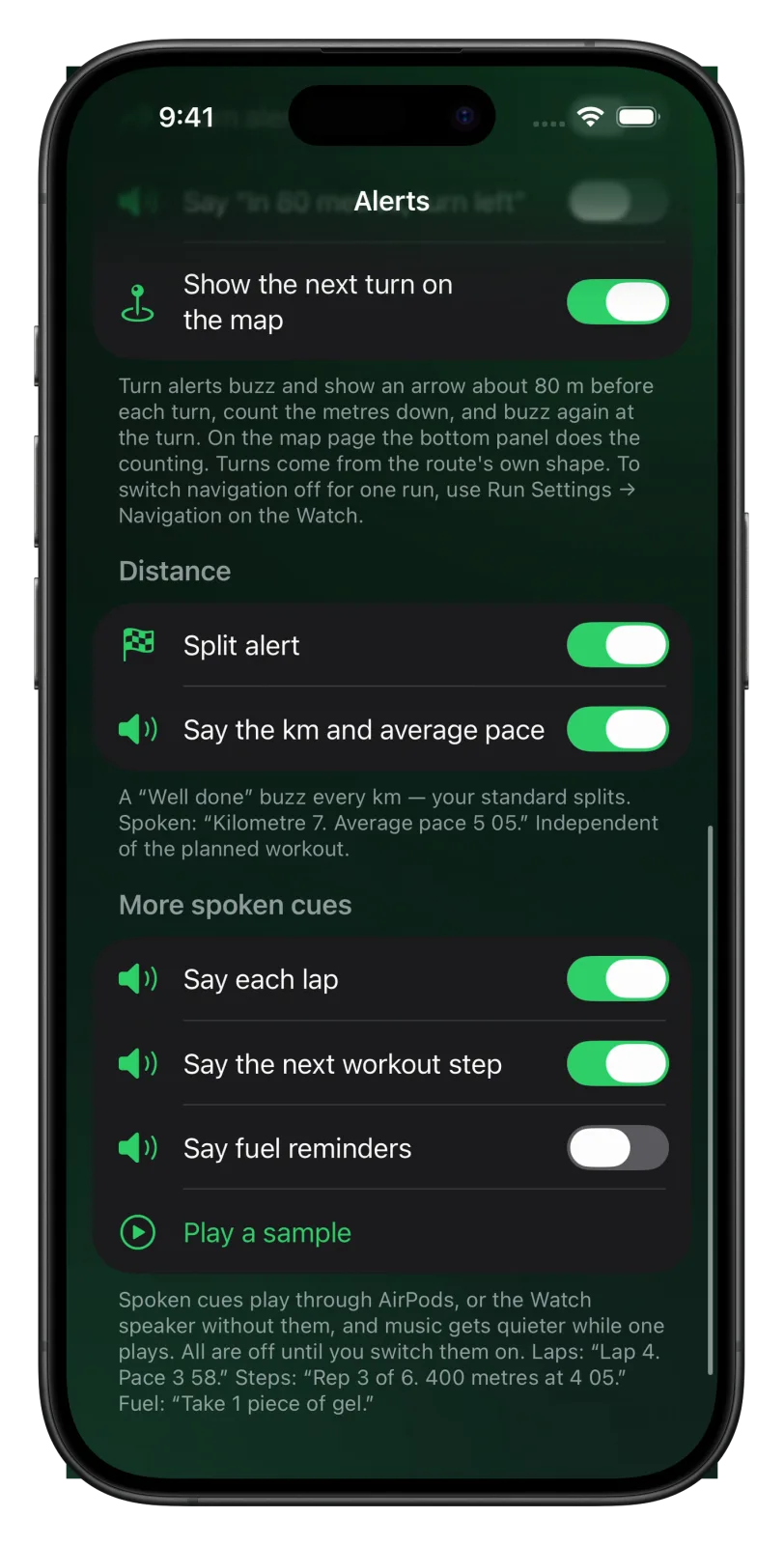
- Each section has a buzz switch and, below it, a Say switch. Turn on the Say switches you want.
A Say switch works on its own. You can have the spoken line without the buzz, the buzz without the spoken line, or both.
What each cue says
| Switch | What you hear |
|---|---|
| Say the km and average pace | “Kilometre 7. Average pace 5:05.” at every kilometre, or every mile if your units are miles. |
| Say each lap | “Lap 4. Pace 3 58.” when you press Lap. |
| Say the next workout step | “Rep 3 of 6. 400 metres at 4:05.” when a planned workout moves on. |
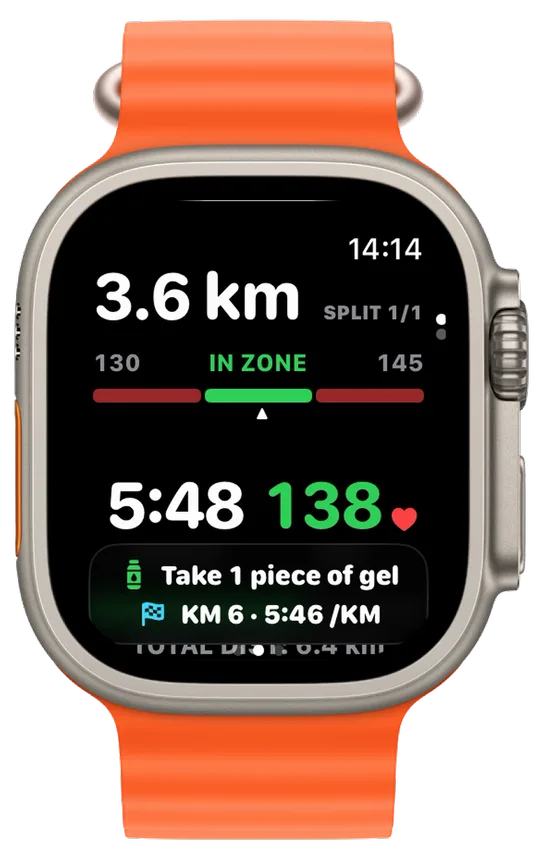
| Say fuel reminders | “Take 1 piece of gel and 250 millilitres of water.” |
| Say “In 60 metres, turn left” | “In 60 metres, turn right.” before a turn, then “Turn right.” at it. |
| Say “Speed up” / “Slow down” | “Speed up.” or “Slow down.” when you leave the pace band of a workout step. |
| Say “Heart rate too high / low” | “Heart rate too high.” or “Heart rate too low.” outside a heart-rate target. |
| Say “Off route” | “Off route.” when you are more than 40 m from the route line. |
The pace and heart-rate lines only come in workout steps that have that kind of target. The turn and off-route lines need a route. Laps, workout steps and fuel reminders always buzz, so those three only have a Say switch.
What you see at the same time
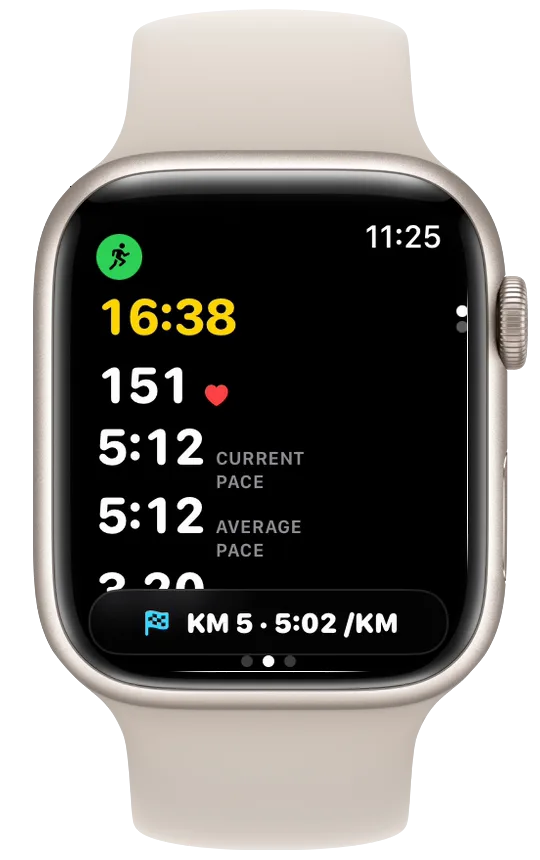
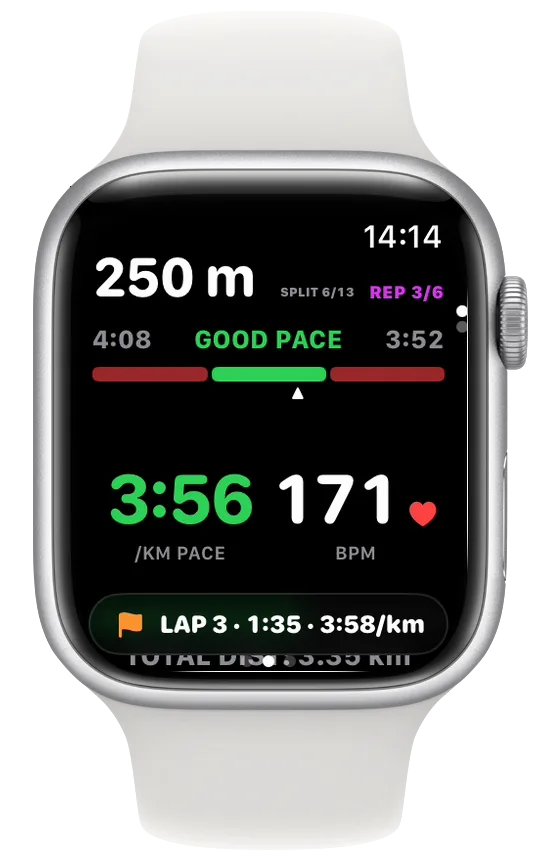
Kilometres, laps and fuel reminders also show as a thin banner at the bottom of the page you are on, whether the voice is on or not. When a fuel reminder comes on its own, it gets the whole screen for 4 seconds. If your wrist is down when a cue arrives, the banner waits and shows when you raise your wrist.
AirPods, the Watch speaker and your music
Spoken cues play through your AirPods when they are connected to the Watch, and through the Watch speaker when they aren't. If music or a podcast is playing, it gets quieter while Vanoor speaks and comes back up afterwards.
Only one line plays at a time. If several cues arrive together, the most important goes first: a turn, then a new workout step or a fuel reminder, then a lap, then a kilometre or an alert.
Hear it before a run
Tap Play a sample at the bottom of the More spoken cues section. Your iPhone says “Kilometre 7. Average pace 5:05.” so you know what the voice sounds like.
Mute the voice for one run
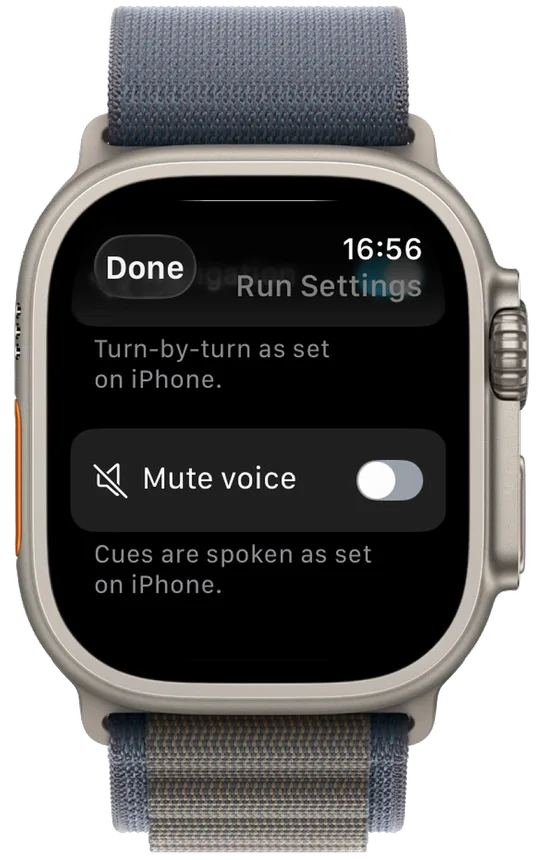
- During the run, swipe right to the Controls page.
- Scroll down and tap Run Settings.
- Turn on Mute voice.
Nothing is spoken for the rest of that run. The buzzes and banners carry on, and your next run uses your iPhone settings again. If no spoken cue is switched on, the row reads Voice is off instead.
- The buzz alerts are covered in the run alerts guide, and turns in the turn-by-turn guide.
- The lap line comes from the Lap button. See the laps guide.
- Why spoken cues help, and when a buzz is enough: voice cues for running on Apple Watch.
Related guides
Picked by shared topics.

Keep the Watch. Upgrade the run.
Vanoor: offline route navigation, race pacing and structured workouts on the Apple Watch you already own.
Get Vanoor on the App Store 7-day free trial · $14.99 once, no subscription · no account