 Vanoor
Comparison
WorkOutDoors alternatives and every other Apple Watch running app: the honest map
On this page
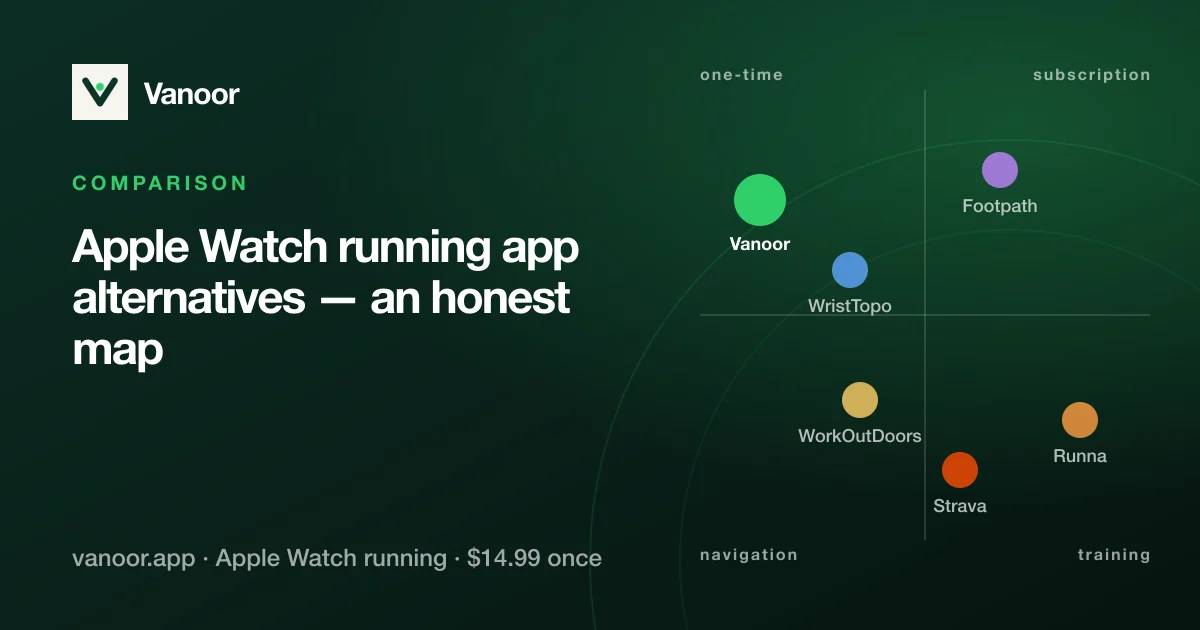
Apple Watch running apps fall into three schools. Runners usually arrive here searching for a WorkOutDoors alternative, wondering why the native Workout app feels limiting, or trying to get out of a subscription. This page goes through all three.
School 1: Apple's native Workout app
It's free, tightly integrated, easy on the battery, and has had custom workouts since watchOS 9. The gaps: no route following (it records where you went, never shows where to go), no GPX import, no offline maps, no fuelling cues, no direct Strava upload (that part works only because Strava whitelists Apple's app), and limited data customisation.
School 2: the power-tool veterans
Apps like WorkOutDoors earned a loyal following by putting everything on the wrist: vector maps, dozens of configurable data fields, deep settings. If you love tinkering, they're very good value. The cost is the learning curve. The settings screens are nested and were designed years ago, the interface shows everything at once, and the iPhone app feels like a config file editor. Plenty of runners give up on them for exactly that reason.
Offline maps are the dividing line in this group: how offline maps work on the Watch explains what to look for before you trust one on a trail.
School 3: subscription coaching platforms
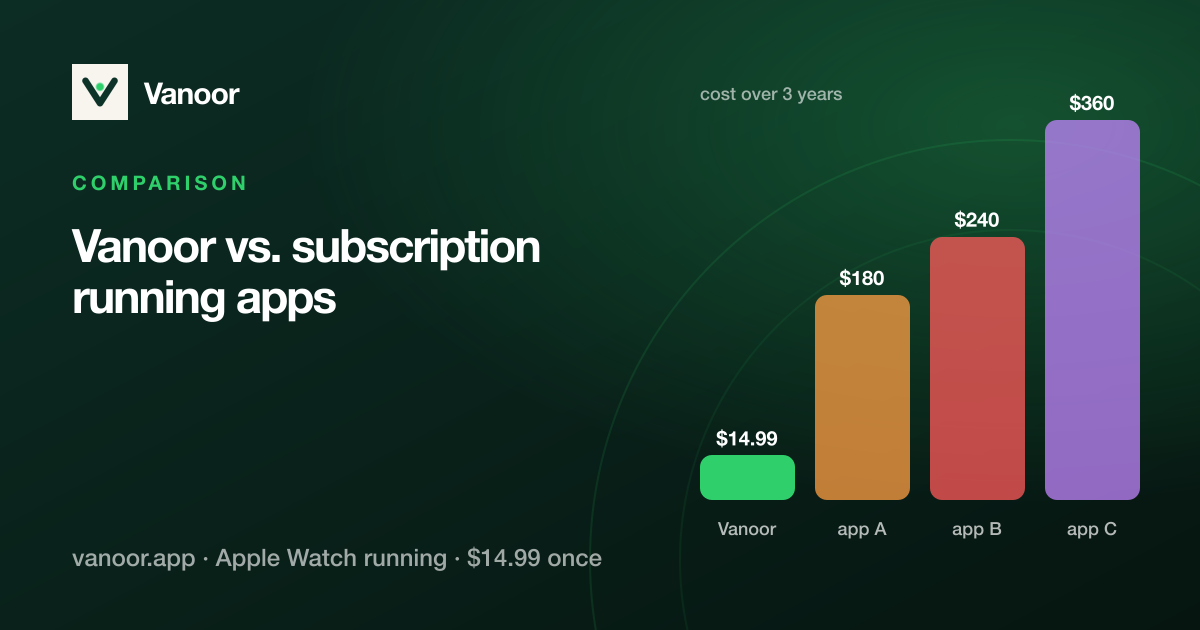
Runna-style apps sell a plan: adaptive training blocks, coach content and community, billed monthly. Their Watch apps execute the plan, but navigation and data depth are rarely the focus. See the cost comparison for what the model means over a few years.
Looking for a WorkOutDoors alternative?
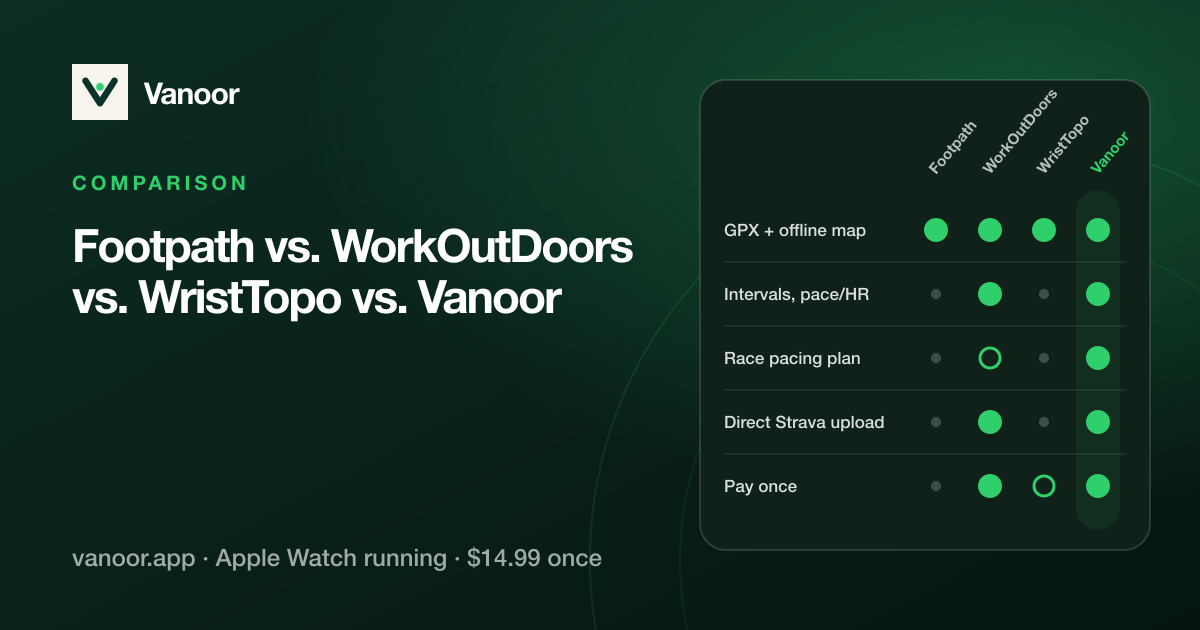
It depends on what sent you looking. If you want more (vector maps for every sport, every data field, every setting), WristTopo and Footpath are the closest power-tool neighbours, and Apple's own Workout app plus a route-planning app is the free option. If you want the same core features (follow a GPX offline, structured intervals, live pacing, runner metrics) with the simplicity of Apple's own app and a single one-time purchase, that is the gap Vanoor is built for. The table below compares them, and the GPX on Apple Watch guide shows what it looks like on the wrist.
Where Vanoor sits
| Native Workout | Power tools | Coaching subs | Vanoor | |
|---|---|---|---|---|
| Follow a GPX route | — | Yes | Rarely | Yes |
| Offline maps | — | Yes | — | Yes |
| Structured intervals + targets | Basic | Yes | Yes | Yes, with haptic pacing |
| Direct Strava upload | Via whitelist | Varies | Yes | Yes, automatic |
| Apple-clean design | Yes | — | Varies | Yes |
| Pricing | Free | Small one-time/sub | $100+/yr | $14.99 once |
| Account required | No | No | Yes | No |
Vanoor is a bet that most runners want the capabilities of the power tools with the feel of Apple's own app: five glanceable metrics, a route line, haptic cues when they matter, and nothing else fighting for your attention at 4:30/km. You buy it once, there is no account, and everything stays on your devices.
Sources
- Footpath Route Planner on the App Store (price and features). apps.apple.com
- WorkOutDoors on the App Store (price and features). apps.apple.com
- WristTopo on the App Store (price and features). apps.apple.com
- Apple. Start a workout on Apple Watch (watchOS User Guide). support.apple.com
App Store listings read 23 September 2026; prices change and differ by country.
Related guides
Picked by shared topics.
Keep the Watch. Upgrade the run.
Vanoor: offline route navigation, race pacing and structured workouts on the Apple Watch you already own.
Get Vanoor on the App Store 7-day free trial · $14.99 once, no subscription · no account